




Cabin crew training management helps coordinate initial attestation classes, conversion and recurrent training. Most airlines struggle in the Spring with large initial recruitment classes and recurrent monthly training for door trainers and wet ditching pools. An integrated training system gives learners access to online theory modules. Which then feeds into the training mockup calendar, offline tablet marking, and EASA/FAA expiry alerts.
Why does cabin crew scheduling cause more issues with spreadsheets?
There are much more people to manage, a shorter recruitment window and more bottlenecks within the facilities. Flight deck training is relatively straight forward as you are managing one type of bay (full flight simulators). In contrast cabin safety has 5 different training environments to manage. Each new intake will need classroom training, door trainers, exit trainers, cabin evacuation trainers, live fire trainers and wet ditching pools.
Spreadsheets go haywire during spring recruitment. Scheduling 120 seasonal trainees alongside 400 active crew members for recurrent checks causes massive operational chaos. If there is one sick safety instructor or a faulty door trainer, they will cause a domino effect with many manual changes to calendars.
Corporate learning platforms only track that someone has viewed a video or passed a quiz. There is no tracking of whether they have used an A320 slide raft in the last 36 months. When an aviation authority inspector comes to do an audit and asks for evidence of practical drills it can cause a nightmare with disjointed spreadsheets.
Initial and Recurrent Cabin Crew Training Courses
Initial and recurrent training should be scheduled to fit the exact regulatory requirements and equipment needed. There are 6 different inflight training routes to follow, outlined in EASA Part ORO Subpart CC and FAA 14 CFR Part 121 Subpart N.
| Course Type | Regulatory Standard | Validity Cycle | Required Facilities & Scheduling Rules |
|---|---|---|---|
| Initial Attestation | EASA Part CC (CC.TRA.220) / FAA § 121.421 | Prior to flight duties | Classrooms, fire rig, wet ditching pool, first aid mannequins, and LMS prerequisite lock |
| Aircraft Type Conversion | EASA ORO.CC.125 / FAA Differences | Before operating variant | Type specific door trainer, cabin mockup (CEET), and supervised line familiarization flights |
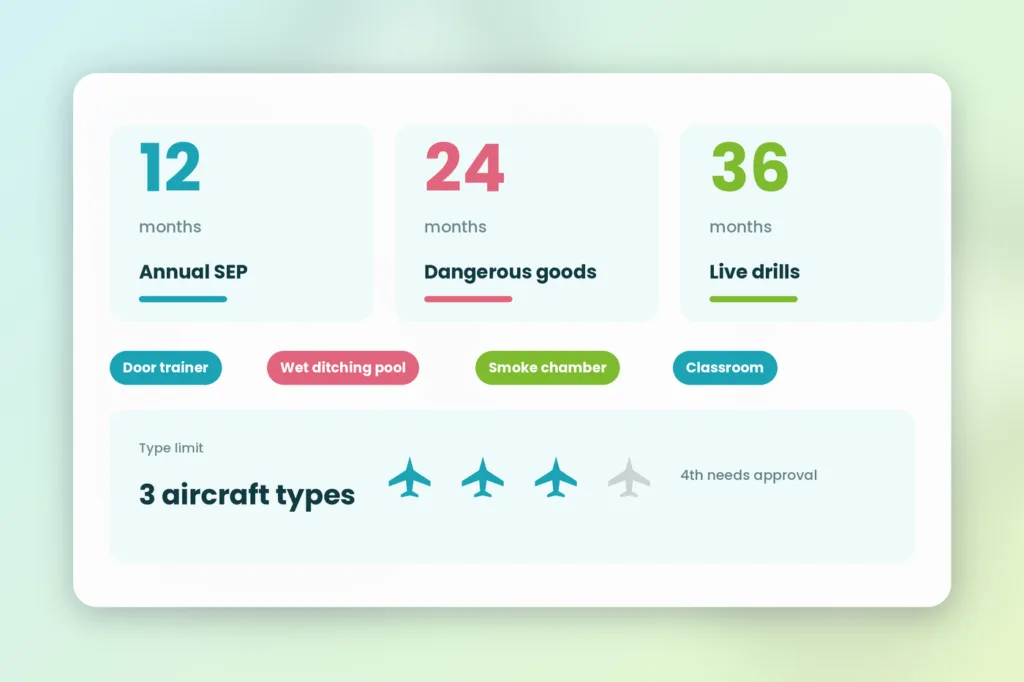
| Annual Recurrent (SEP) | EASA ORO.CC.140 / FAA § 121.427 | Every 12 months (base month) | Classroom CRM, safety equipment touch drills, first aid, and normal/emergency exit checks |
| Dangerous Goods (DGR) | ICAO / IATA CBTA DGR Mandate | Every 24 months | Online CBTA theory modules paired with role specific hazardous materials assessments |
| Triennial Practical Drills | EASA ORO.CC.140(c) – (d) | Every 36 months | Live firefighting and smoke chamber, actual emergency exit operation, and wet ditching drill |
| Absence Refresher | EASA ORO.CC.145 | After >6 months off flying | Classroom refresher and practical aircraft type door drills before returning to line roster |
4 Operational Issues that break cabin crew management
Training cabin crew can cause 4 common issues for airlines when using basic calendar apps to manage. These issues will waste hours of a coordinators time and can cause flights to be grounded during busy periods.
Resource clashes between first time cohorts and monthly recurrents
Initial training cohorts will require cabin mockups and safety trainers to be tied up for weeks of the year during peak summer periods. At the same time flight attendants will be required to do their annual recurrent training within their legal base month period. Without any automated resource clash checking, door trainers may be double booked or instructors may be scheduled to work more than their daily maximum.
Overlapping of expiry dates of 12 month, 24 month and 36 month windows
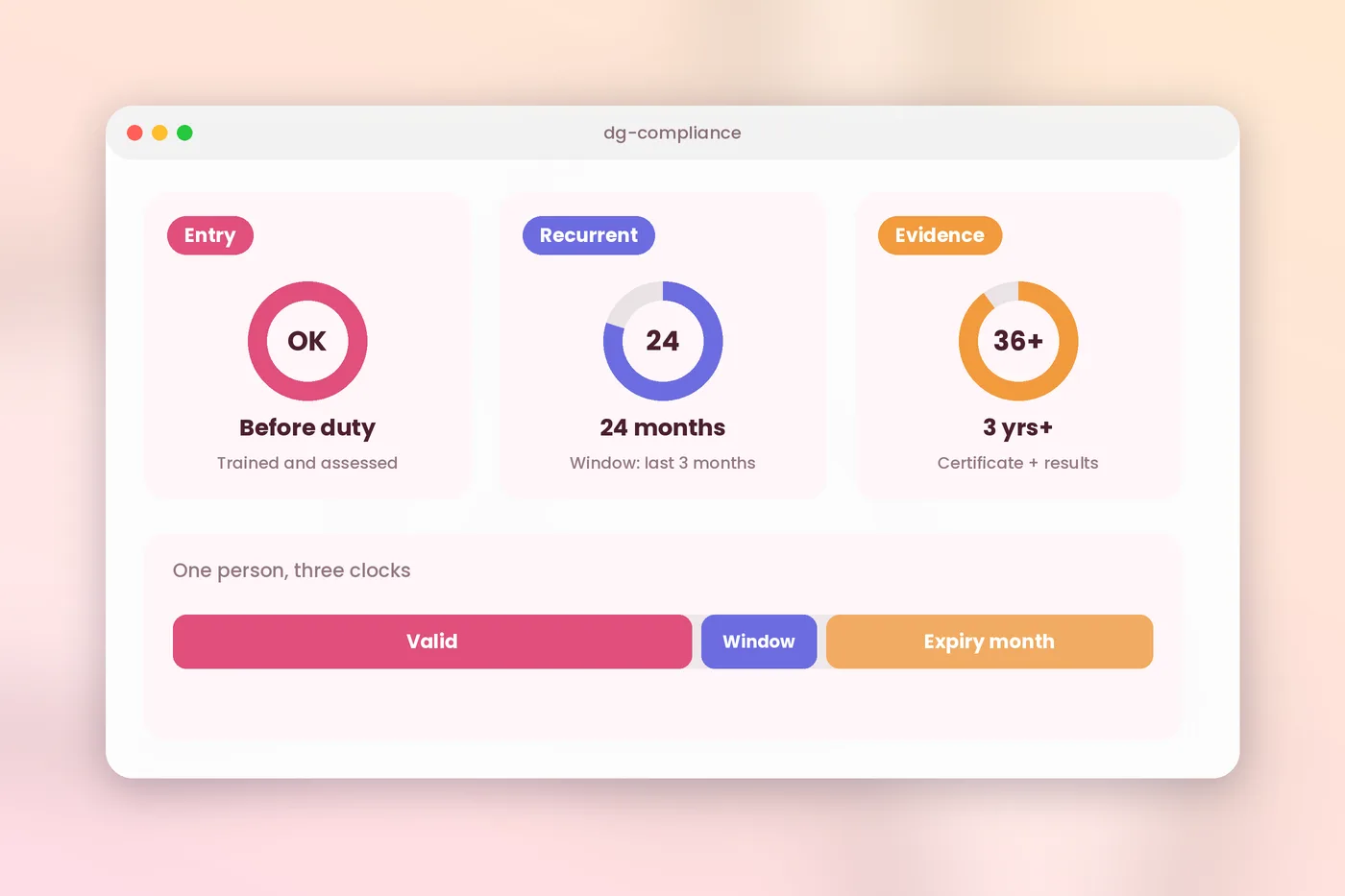
All cabin crew members will have multiple expiry dates. Annual SEP training expires every 12 months, IATA CBTA Dangerous Goods training needs to be renewed every 24 months and firefighting training every 36 months. Keeping track of these in excel will always result in someone missing their 3 yearly exit drill.
Three aircraft type qualification caps and 6 month absence rules
According to EASA ORO.CC.250 you are allowed to be qualified on a maximum of 3 aircraft types. With special approval you can be qualified on 4 aircraft types. Your system should ensure that if a crew member is moving onto a new fleet variant, they don’t exceed their maximum number of aircraft types. The software should identify flight attendants coming back from 6 month medical or parental leave and ensure they complete their mandatory refreshers.
Per learner software cost punishes seasonal cabin crew hiring
Charter, leisure and regional airlines will take on hundreds of seasonal cabin crew in the Spring. But they will let them go in the Autumn. Legacy LMS providers charge per active user, meaning you are paying for licenses throughout the year for seasonal staff. Ex staff who are kept on file for audit purposes. Pricing per aircraft also doesn’t work for airlines using 3rd party Cabin Crew Training Organisations (CCTOs).
5 step process for scheduling Initial & Recurrent cabin crew training
A well defined 5 step process will help to keep your mockup bays running and audit trail clean by replacing manual spreadsheet processes. This can be used to manage your initial and recurrent training.
1. Gate physical mockup bookings behind online LMS prerequisites
Ensure that no trainees are using your expensive Cabin Emergency Evacuation Trainers without completing their theory training. When a flight attendant has completed the online training on aircraft systems & pre-SEP quizzes, by linking your SCORM e-learning modules to your class scheduling software. This will automatically release their practical training.
2. Centralize door trainers, wet ditching pools, and safety instructors
Create individual profiles for all of your physical training equipment. This could include A320 & B737 door trainers, smoke chambers, CPR mannequins & pools lanes. Add details of how many students can fit into each piece of equipment and ratios of safety instructors required. When a coordinator books a recurrent batch of training, the system will check room size, equipment maintenance and instructor qualifications.
3. Automate base month batching for 12 month and 36 month drills
Use your aviation training management software to automatically calculate FAA grace periods for base months and EASA 12-month validity periods. Create automated 90-60-30 alerts to batch crew members. Who are due for their annual SEP and those who require their 36-month live firefighting or wet ditching drill. This helps optimise training by putting crews into mockup bays.
4. Grade practical evacuations and CPR checks offline on iPads
Wi-Fi is rarely reliable in areas like swimming pools, smoke rooms and hangar bays. Instructors will need to download marking criteria onto their iPads. Examiners can mark slide evacuation, firefighting and visible actions during practical drills using an iPad. They can add two electronic signatures and the iPad will automatically sync once online.
5. Sync qualification completions directly to crew rostering blocks
Training records should automatically update crew qualification blocks. If flight attendant doesn’t pass their door operation drill or misses their recurrent window, their qualification block will automatically show as out of date. Rostering teams can view real time qualification statuses.
FAQs
1. What is Cabin Crew Training Management?
Cabin crew training management ensures that initial attestation training, conversion training and annual re-current training are delivered efficiently. This includes classroom learning, mock cabins and e-learning. A full aviation training solution will ensure that once training has been completed online, equipment can be planned, instructors kept up to date and FAA/EASA expiry reminders set up.
2. How do initial and recurrent cabin crew courses differ?
Initial training is delivered to ensure new recruits have the fundamental knowledge of safety, first aid, fire fighting and water ditching. Re-current training is delivered every 12, 24 & 36 months to refresh the crew on how to operate doors, perform emergency evacuations and handle dangerous goods for their aircraft type.
3. How many aircraft types can a Cabin Crew member operate?
Under EASA regulations (ORO.CC.250) Cabin crew can only operate a maximum of 3 aircraft types, or 4 if they have specific safety approvals. Your training software needs to ensure that the current aircraft types they have qualifications are recorded. It should prevent scheduling staff onto aircraft types they aren’t qualified.
4. Why will physical cabin mockups and door training cause scheduling issues?
Physical training equipment such as cabin mockups, door trainers, fire fighting equipment and swimming pools can be very limited in their capacity. This can cause issues when they are busy during peak hiring periods in spring. Training management software can help avoid double bookings by using an online booking system that will show theory requirements, specialist safety instructors and mockup bay availability.
5. Can practical assessments be marked by safety instructors using an iPad?
Yes, with modern aviation training software, practical marking sheets can be downloaded by safety instructors onto their iPads. Examiners will then mark door training, slide training and CPR checks while offline. They will then get a double signature and when they are back on Wi-Fi they can sync their data.
6. How can a flat fee per admin reduce costs for training seasonal cabin crew?
Leisure and charter airlines take on hundreds of seasonal flight attendants during the summer. This can cause high costs with training software that charges per active user. Using a flat fee per admin ($60 per month with SimpliTrain) means you can train unlimited crew profiles with no cost per user. Compare models in our 2026 Training Management Software Buyers Guide.
Save time with SimpliTrain
Is your current inflight training schedule causing problems? How many hours are your coordinators spending manually checking online course completion, door trainer availability and entering paper grades for your pool deck into Excel? What are you paying your LMS provider to store your cabin crew profiles for seasonal training?
SimpliTrain offers a complete training solution with online ground school, mockup scheduling, offline grading on iPad and expiry tracking. All for a flat rate of $60 per administrator per month. See how airlines and training centres are removing scheduling issues with our Aviation Training Management System or book a live SimpliTrain Demo.