
SimpliTrain vs. Administrate
SimpliTrain vs Administrate: live training in weeks
Administrate handles ILT scheduling well, but a dated interface, months-long rollouts, and no mobile app slow teams down. SimpliTrain gets you live faster, with pricing you can see up front.
You should know what your Training Management Software costs before you call sales.
Administrate offers two pricing tiers, both custom-quoted, with no published rates. SimpliTrain puts its pricing on the website and charges a flat rate per admin with unlimited learners. No audits, no negotiations, no surprises at renewal.
Administrate
Essentials or Enterprise
Custom
Quote-only pricing. No trial without signing up for paid support.
See the price
before you commit
SimpliTrain
All plans
Published
Flat rate per admin. Pricing on the website, no sales call required.
Administrate
Go-live timeline
Months
Complex setup. Steep learning curve. Help docs frequently out of date.
Weeks
not months to launch
SimpliTrain
Typical implementation
4 - 6 weeks
Structured onboarding. Dedicated support from day one.
SimpliTrain vs. Administrate
A full feature breakdown across every category that matters for ILT, vILT, and online training delivery. Click any group to expand.
| Features | Administrate | SimpliTrain |
|---|---|---|
|
ILT and vILT Training Scheduling
Sessions · Instructors · Rooms · Cohorts · Conflict detection
8 features
|
||
| Session scheduling and training calendar | Yes Core enterprise strength | Yes |
| Instructor and trainer management | Yes Deep availability and qualification tracking | Yes |
| Room, venue and resource allocation | Yes | Yes |
| Scheduling conflict detection | Yes Automated scheduler is a key feature | Yes |
| Multi-location and multi-region operations | Yes Built for multinational enterprise | Yes |
| Batch and cohort management | Yes | Yes |
| Waitlist management | Yes | Yes |
| Automated SMS and email communications | Yes Highly rated capability | Yes |
|
Virtual Instructor-Led Training (vILT) Delivery
Virtual classrooms · Zoom · Teams · Blended programs · Recordings
5 features
|
||
| Built-in virtual classroom | No Relies on Zoom, GoToMeeting or Webex integrations | Yes – native |
| Zoom and Microsoft Teams integration | Yes Primary vILT delivery method | Yes |
| Automatic attendance tracking for virtual sessions | Partial Varies by integration method | Yes |
| Blended ILT and eLearning in one learner journey | Yes TMS plus integrated LMS | Yes – native |
| Session recordings accessible in platform | No Managed through external conferencing tools | Yes |
|
Learning Management System (LMS) Capabilities
eLearning delivery · SCORM · Learning paths · Learner portal
6 features
|
||
| Built-in LMS for self-paced eLearning | Separate LMS module Two halves to the system – TMS and LMS run separate | Yes – native |
| SCORM and xAPI content support | Yes | Yes |
| Learning paths and structured curricula | Yes | Yes |
| Branded learner self-service portal | Yes | Yes |
| Mobile app for learners | No Mobile browser access only. No native app available. | Yes |
| Unified TMS and LMS in one data model | Partial Reviewed as two separate halves of the platform | Yes |
|
Course Authoring and Content Tools
Course builder · AI assistant · File conversion · Imports
4 features
|
||
| Native course authoring tool | Basic Relies on external authoring tools for richer content | Yes – SimpliAuthor |
| PDF, PPT, Word to SCORM conversion | No | Yes |
| AI-assisted course creation | No Reviewers note platform has not adapted to AI shift | Yes |
| Course template library and reuse | Limited No copy function. Templates must be re-entered each time. | Yes |
|
Sell Online Courses and Commercial Training
Course catalog · Payments · B2B sales · Client portals
5 features
|
||
| Public course catalog and online registration | Yes | Yes |
| Sell online courses (a-la-carte, subscription, bundled) | Yes | Yes |
| Payment processing and invoicing | Needs updates Financial module flagged in user reviews | Yes |
| B2B corporate sales and account management | Yes | Yes |
| Separate branded portals per client (multi-tenant) | Partial Custom branding per portal, not full multi-tenant | Yes |
|
Platform Experience, Pricing and Support
UI modernity · Pricing transparency · Trial · Mobile · Implementation
7 features
|
||
| Published pricing | No – custom quote required | Yes – on website |
| Free trial without paying for support | No Reviewers report needing paid support to properly evaluate | Yes |
| Unlimited learners on flat-rate pricing | Volume-dependent learners pricing | Yes |
| Mobile app for learners and admins | No No dedicated mobile app. Browser only access on mobile. | Yes |
| Modern, regularly updated interface | UI described as dated and slow in user reviews | Yes |
| Up-to-date help documentation | Help docs frequently flagged as out of date | Yes |
| Typical implementation timeline | Months. One reviewer cited 9 months to configure. | 4 to 8 weeks |
| SSO, HRIS, CRM and ERP integrations | Yes Salesforce, Workday, Docebo, and more | Yes |
Virtual classroom, built in
Run vILT sessions without leaving the platform
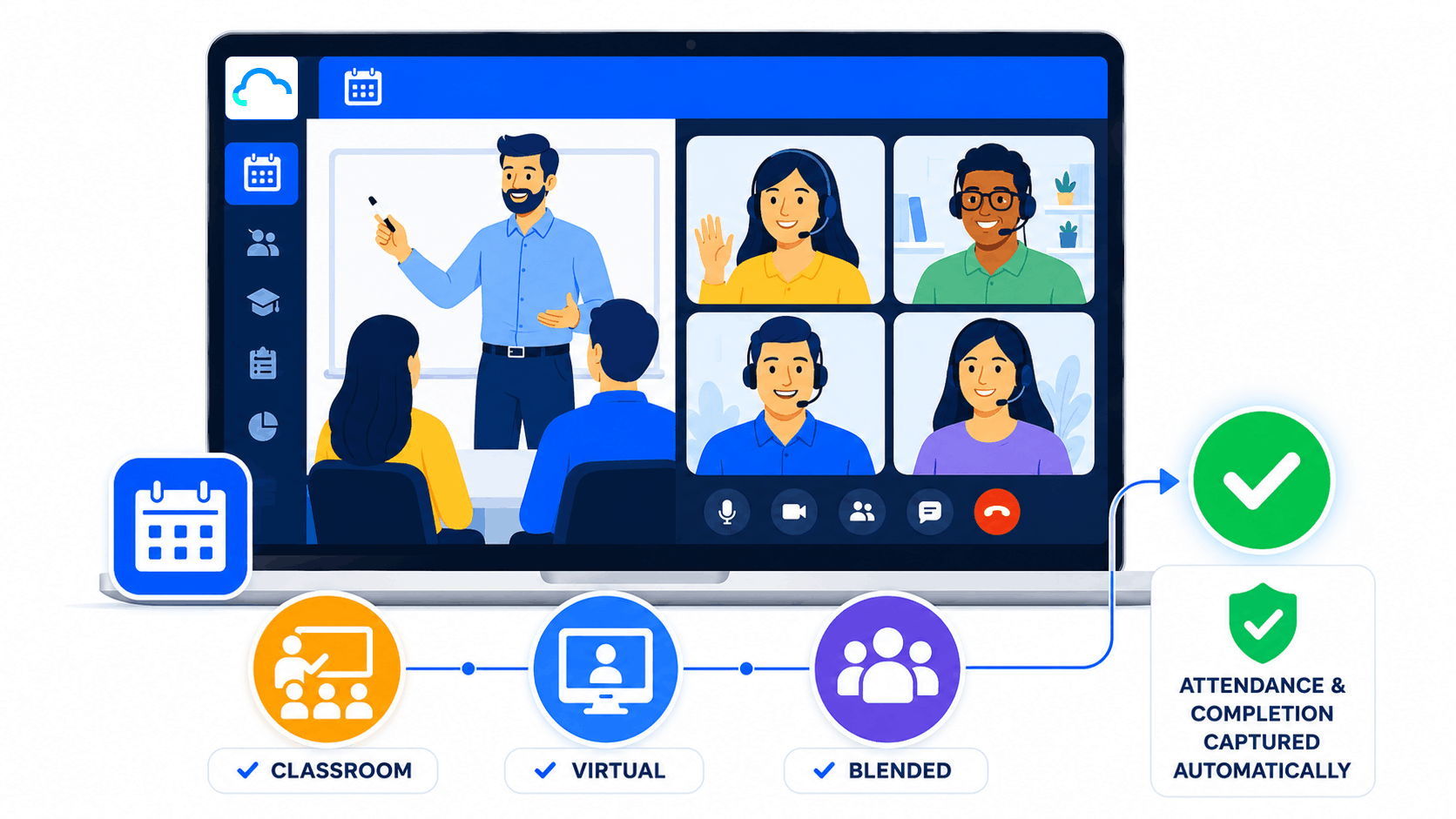
Administrate supports virtual instructor-led training through integrations with Zoom, GoTo Meeting, and Webex, which means the actual session happens outside the platform and attendance has to flow back in through a connector. SimpliTrain has the virtual classroom built directly in. Instructors run classroom and virtual sessions from the same calendar, attendance is captured automatically the moment a session ends, and completions land on the learner record without a manual sync step.
- SimpliTrain advantage
Fast time to value
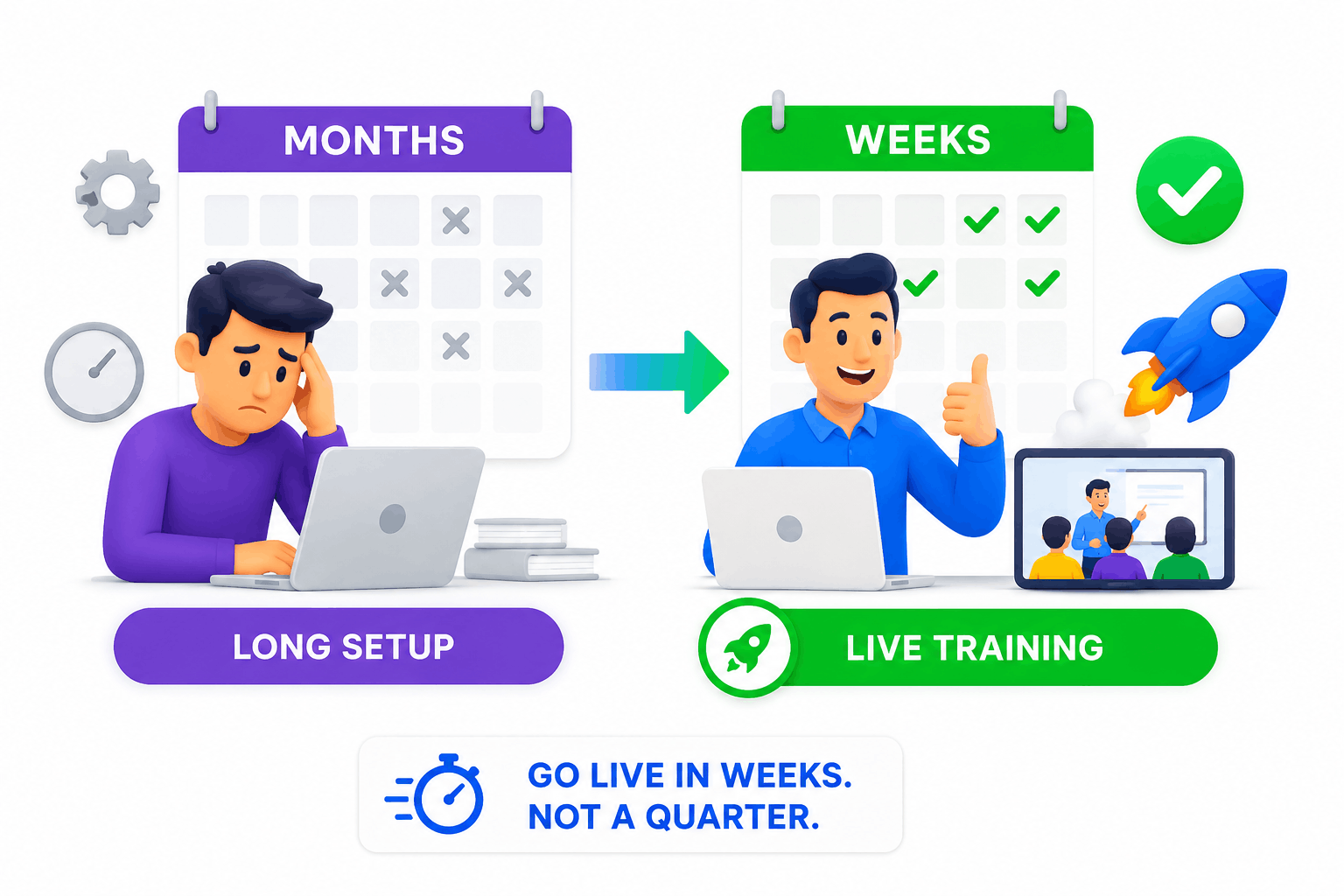
Go from decision to live training sessions in weeks, not a working quarter
Administrate’s power comes at a cost: reviewers consistently describe a steep learning curve, documentation that does not keep pace with the software, and setup processes that can take months. One published review cited five months of configuration before going live. That is time your training operation is not running on the new platform, and value you are not getting from the investment. SimpliTrain implementations run four to six weeks for standard configurations, with a dedicated onboarding team guiding you through each stage. Your first instructor-led training session can happen in the same month you sign up.
- SimpliTrain advantage
Transparent, predictable pricing
Know what your Training Management System costs before you talk to anyone
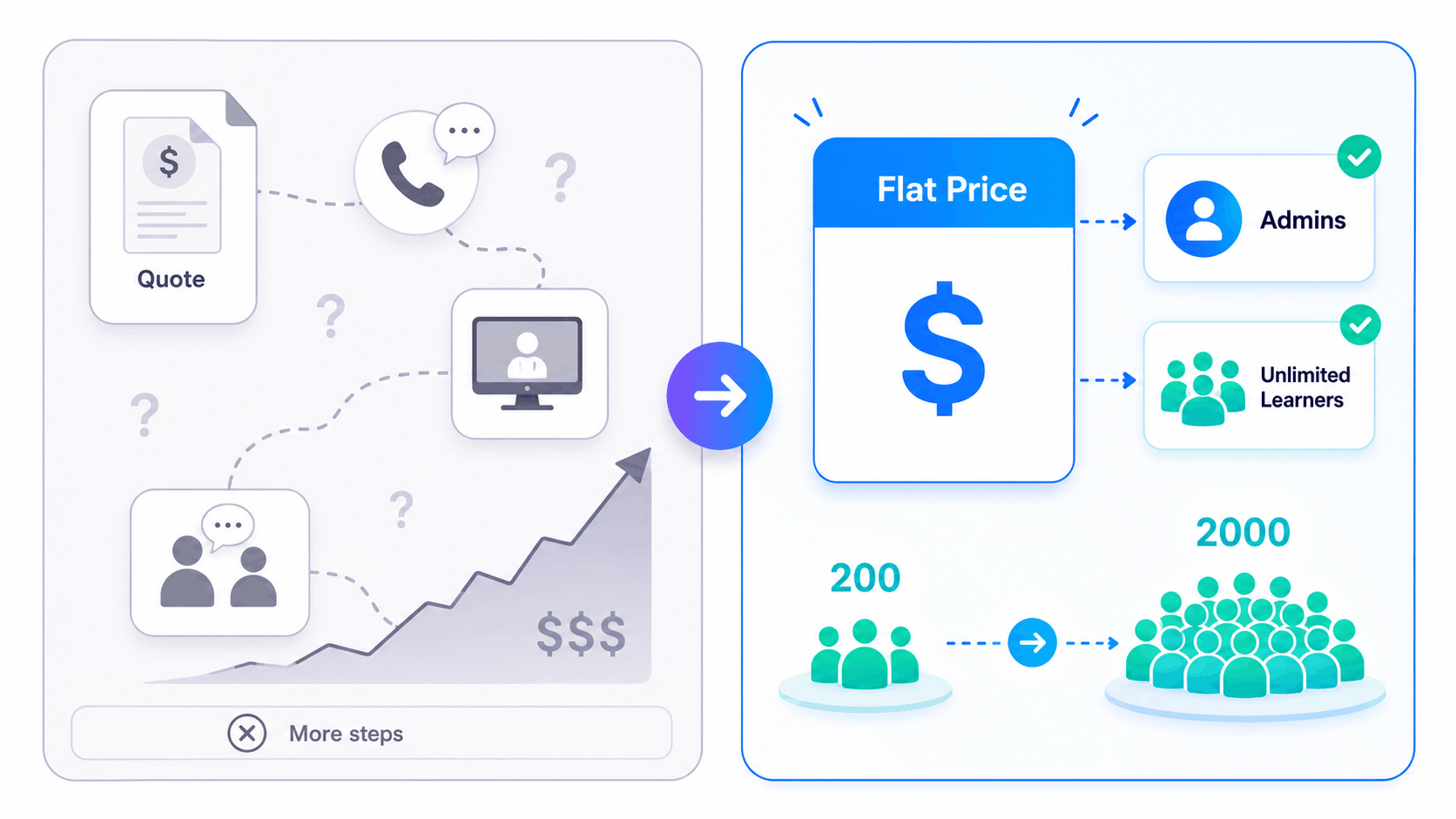
Evaluating enterprise training software can take months of calls, demos, and negotiation when pricing is hidden behind a quote process. Administrate offers two tiers, both custom-quoted, with reviewers noting that you essentially need to sign up for paid support before you can properly evaluate whether the platform fits. SimpliTrain publishes its pricing openly and charges a flat rate per admin user with unlimited learners included. Your training team can grow from 200 people to 2,000 and your monthly bill stays the same.
- SimpliTrain advantage
Discover with AI


10 reasons training teams choose SimpliTrain
Everything a modern Training Management System should do for ILT and vILT teams, without the enterprise complexity that gets in the way.
Full ILT and vILT scheduling in one place
Schedule classroom sessions, virtual instructor-led training, and blended programs. Manage trainer allocation, room bookings, and cohort enrollment without switching between tools or systems.
LMS and TMS in a single platform
Instructor-led and self-paced learning share the same learner records, the same reporting, and the same admin interface. There is no separate LMS module to license or a second system to reconcile data with.
Mobile app for learners and instructors
Coordinators can mark attendance on-site, instructors can view their schedules, and learners can access content on any device through a native app. Not a mobile-optimised browser, an actual app.
Published flat-rate pricing
No custom quotes. No negotiations. No audit surprises when your learner count grows. Flat rate per admin with unlimited learners, published on the pricing page before you ever speak to sales.
Live in 4 to 6 weeks
A dedicated onboarding team guides you through structured implementation. Your training coordinators are running live sessions and tracking completions within a few weeks, not a quarter later.
Compliance and certification built in
Automated certificate generation tied to session completions. Expiry date tracking, renewal reminders, and audit-ready compliance reports generated on demand without specialist involvement.
Sell online courses and ILT programs commercially
A full ecommerce layer sits alongside your training operations. Sell online courses, charge for instructor-led programs, manage B2B invoicing, and give enterprise clients their own branded portals.
AI-assisted course creation
Build course content with AI assistance, convert existing PDFs, Word files, and presentations to SCORM, and import Articulate Rise content. No separate authoring license or external tool required.
Real-time reporting across the whole operation
Trainer utilisation, session fill rates, enrollment trends, and completion rates across every location and business unit in one dashboard. No Excel exports needed to see the full picture.
Connects with the tools you already run
SSO, HRIS, CRM, Zoom, Teams, payment gateways, and existing content libraries all integrate with SimpliTrain. Adopt it incrementally around your current setup rather than replacing everything at once.
Which training management platform is right for your team?
Both platforms handle complex ILT operations. The decision usually comes down to implementation speed, platform modernity, and how much complexity your team can absorb.
SimpliTrain
Worth a serious look if any of these apply
- You want your Training Management System and Learning Management System to work as one platform with shared learner data, not as two separate modules.
- Your team needs mobile access to manage ILT sessions, mark attendance, and check training schedules from the training floor, not just from a desk.
- You need to see software pricing before committing to a sales process and cannot budget around a custom quote that may change at negotiation.
- You want to run virtual instructor-led training without managing a separate conferencing tool outside the platform.
- Your learner count is growing and you do not want a pricing model that increases costs as training scales.
- You also sell online courses or run commercial training programs and want ecommerce and scheduling managed in one system.
Administrate
Worth considering if all of these apply to your organisation
- You run very high-volume, highly complex ILT operations at multinational enterprise scale and need the deepest possible scheduling automation and conflict detection.
- You have dedicated IT resource and implementation budget to support a multi-month rollout and ongoing platform management.
- Your organisation requires deep integration with enterprise systems like Workday, Salesforce, or custom ERP platforms via REST API.
- Platform modernity and mobile access are lower priorities than scheduling depth and API flexibility for your specific use case.
A Training Management System that is ready when you are.
Published pricing, a free trial, and a 4-to-6-week path to your first live session. Book a demo and we will show you exactly how SimpliTrain fits your current training setup.
Frequently Asked Questions
Everything training teams ask when evaluating SimpliTrain against Administrate.
What is a Training Management System and how is it different from an LMS?
A Training Management System (TMS) handles the operational side of training: scheduling sessions, managing instructors, booking rooms, tracking enrollment, and reporting on training delivery. A Learning Management System (LMS) handles the content side: hosting eLearning, delivering self-paced courses, tracking completion, and issuing certificates. Many organisations run both and need them to talk to each other. SimpliTrain combines TMS and LMS functionality in a single platform, so there is no integration to maintain between them. Administrate takes a similar approach but reviewers describe the TMS and LMS as two separate halves of the system.
Does SimpliTrain handle virtual instructor-led training (vILT) natively?
Yes. SimpliTrain supports virtual instructor-led training with a built-in virtual classroom and native integrations for Zoom and Microsoft Teams. When a vILT session runs through SimpliTrain, attendance is tracked automatically and tied to the learner record without manual steps. Administrate supports vILT through integrations with Zoom, GoTo Meeting, and Webex, but the virtual classroom itself sits outside the platform and attendance flows back via the connector, which can introduce gaps depending on how the integration is configured.
How long does it take to implement SimpliTrain compared to a typical enterprise TMS?
SimpliTrain’s standard implementation runs four to six weeks for most training teams. That covers migrating your course catalog, trainer profiles, learner records, and session history, plus configuring your training scheduling workflows and going live with your first instructor-led sessions. Enterprise TMS platforms like Administrate are frequently described in user reviews as taking months to configure, with one published review citing five months before the team went live. The gap comes down to platform complexity, onboarding approach, and how much custom configuration the system requires before it is usable.
Can SimpliTrain replace both our TMS and our LMS in one switch?
For most training teams, yes. SimpliTrain handles ILT scheduling, vILT delivery, self-paced eLearning, course authoring, learner records, certifications, and reporting in a single platform. If you are currently running a separate TMS for training scheduling and an LMS for content delivery, you can consolidate both into SimpliTrain in one migration project. The transition is incremental if needed: you can start with scheduling and delivery and activate the authoring and ecommerce features when you are ready.
Is SimpliTrain suitable for regulated industries that need compliance training management?
Yes. SimpliTrain is used by training teams in healthcare, finance, manufacturing, and other regulated sectors who need audit-ready records and automated compliance workflows. The platform handles certificate generation tied directly to instructor-led session or eLearning completions, tracks expiry dates, sends renewal reminders automatically, and generates compliance reports on demand. For industries where every training record needs to be traceable and current, SimpliTrain keeps that data in one system rather than spread across a TMS and a separately-managed certification tool.
Can I use SimpliTrain to sell online courses and instructor-led training commercially?
Yes. SimpliTrain includes a public course catalog, online registration, payment processing, B2B invoicing, and the ability to sell online courses as individual purchases, subscriptions, or bundles. Commercial training providers can use the same platform for internal operations and external revenue. Enterprise clients can be given their own branded portals with their own learner records and reporting, separate from your other customers. Administrate also supports commercial training but its financial and invoicing module has been flagged in user reviews as needing updates, which can create friction for providers with complex billing requirements.
Does SimpliTrain have a mobile app for training coordinators and learners?
Yes. SimpliTrain provides a native mobile app for both learners and training coordinators. Learners can access course content, join virtual instructor-led sessions, and view their certificates from any device. Coordinators can manage session logistics, check instructor schedules, and mark attendance from on-site. This is a meaningful difference from Administrate, which does not have a dedicated mobile app and relies on mobile browser access instead.
Disclaimer: The comparison data presented on this page is compiled from public domain sources, competitor websites, official pricing documents, and independent review platforms (including G2, Capterra, and Software Advice) as of June 2026. All product comparisons are made in good faith using publicly available information for informational purposes. We make every effort to remain objective and do not seek to misrepresent or cast any product in a negative light. Because software features, plans, and pricing change frequently, details may differ from what is currently published. We encourage users to verify all information directly with the respective service providers prior to making any purchasing decision.
