




Aviation training software couples together crew currency, recurrent check windows, and qualification expiry dates in a single real time database. They are not spreadsheets or the generic corporate LMS’s (Learning Management Systems) but dedicated aviation trackers, software specifically created for aviation which will then carry for the FAA and EASA grace-period carry-forwards for you and then send real tiered 90-60-30 day expiry notices and integrate real live qualification status into your flight planning software to prevent uncertified crew from flying.
Why do spreadsheets and watered-down LMS tools fail at aviation currency?
Because they have a printed expiry date, a pilot’s medical certificate differs from the operational flight recency, which ticks forward every midnight on a rolling look-back window. When flight schools, airlines and MROs fumble with these moving targets in Excel, the compliance shortfall emerges weeks before the crew member is found to be uncertified. A single broken formula or Friday pilot sheet cannot be updated in time.
The overall problem with generic corporate LMSs, however, is that they only record online video completion and multiple-choice quiz scores. As a September 2026 platform audit by FirstHR makes clear, standard corporate LMS tools do not include FAA ground training logic, certificate expiry algorithms, or simulator scheduling engines. They cannot track 90-day takeoff and landing recency nor determine if an examiner’s rating was valid on a checkride.
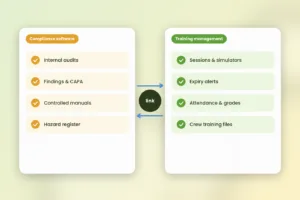
Manual spreadsheets can’t even complete the most important tests of the operational aspect: manually spreadsheets simply don’t speak to your dispatch/crew rostering tool, in real time. A training coordinator can see an expired medical on the spreadsheet, but a dispatcher working in an entirely different scheduling tool may not know it, and will still roster that pilot. Dedicated aviation solutions eliminate that lag.
What is the difference between currency, recency, and recurrent training?
All systems that are ticking down concurrently for each resident crew member and maintenance tech. Your software must be able to run all three logic models without hand-workarounds.
Rolling look-back currency and recency
Operational currency doesn’t have a printed expiration date because it is recalculated every day using a rolling historic 90-day window. For rules 2026 in FAA 14 CFR § 61.57 (eCFR) and EASA Part-FCL (FCL.060), a passenger-carrying pilot shall complete three takeoffs and landings within the previous 90 days. Instrument currency involves tracking six approaches, holding procedures, and intercepting courses during a rolling six-month look-back window.
Rolling currency is based on daily flight and simulator records. Static columns in a spreadsheet become outdated every 24 hours. Actual tracking software takes flight records or simulator records and computes the precise date the pilot will lose currency if they do not fly.
Fixed-interval rechecks
Recurrent training is scheduled in calendar periods depending on the crew members’ base month or initial qualification date. As of 2026 rule in EASA Part-ORO (ORO.FC.230), commercial pilot do Operator Proficiency Check (2 cycles per year) and Licence proficiency check (once a year). Cabin crew also have to do a annual Safety and Emergency Procedures (SEP) check to be legal for line operation.
Calculating these intervals involves a well-tailored calendar math that’s in the know about revalidation windows. If a pilot goes early within a grace window, the software re-validates everything out from the last expiry date, not the date of the check.
Printed credential and authorization expiries
The third layer includes licenses, medical certificates and work site authorizations, which have a hard printed expiration date. These include first-class medicals, instructor certificates, airport security badges, and 24-month dangerous goods certificates under the 2026 IATA Dangerous Goods Regulations (DGR). If even one of these is not current, the person is immediately disqualified until the credential can be reissued.
Excel-wise how spreadsheet date-math breaks FAA base-month and EASA carry forward rules?
Spreadsheet formulae mark 6 or 12 months on from completion date and penalize airlines for training crews early. Aviation regulators have allowed a grace window so that training planners can book simulator slots that don’t cut a pilot’s qualification cycle short. Typical Excel formulas and generic HR trackers fail to recognize this logic.
For 2026 rules in 14 CFR § 121.401 (eCFR), it is the same if you pass an OPC or LPC for one month before or after the base month it retains that base month. The same applies in EASA, where pilots can complete an OPC or LPC three months before expiry and retain the same anniversary.
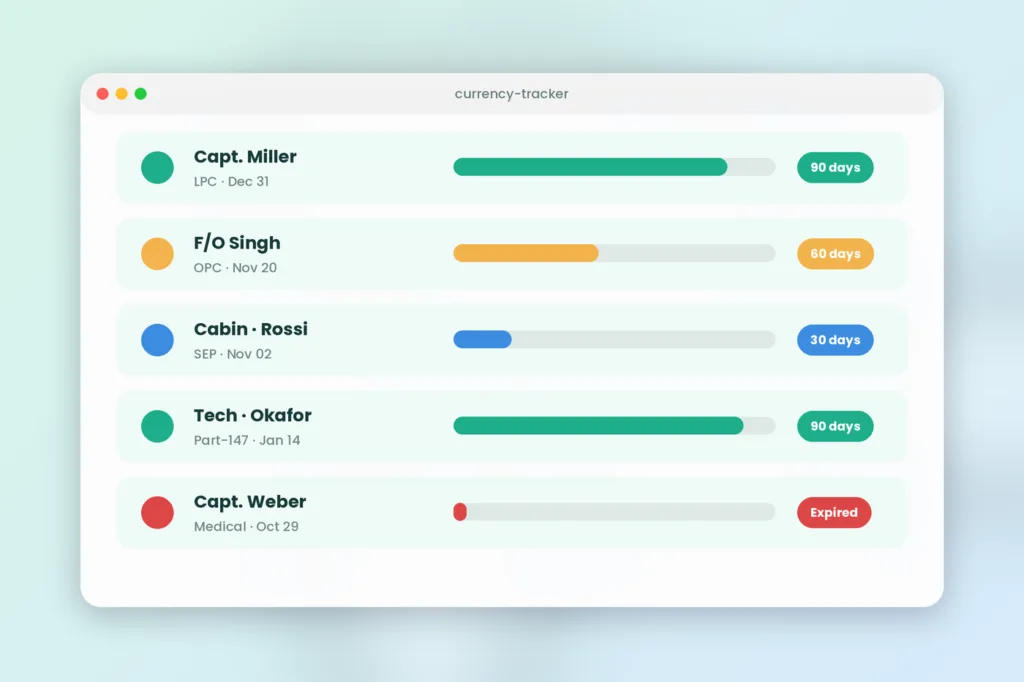
Let’s take a real-world example of how this looks over a 200-pilot fleet. Imagine Captain Miller is your December base month and her LPC is due December 31, 2026. With a busy simulator schedule in December, the training planner books her checkride in early October, 2026.
- What a spreadsheet or generic LMS does: It adds 12 months to the October 15 completion date and sets her next expiry to October 15, 2027. The airline just lost 2.5 months of paid simulator validity.
- What dedicated aviation tracking software does: It recognizes that October 15 falls inside the three-month EASA revalidation window and sets her new expiry to December 31, 2027.
- What happens outside the window: If Captain Miller completes the check on September 10 (outside the window), the software automatically resets her base month to September.
Within a medium-sized airline, removing this ‘cycle creep’ can save dozens of simulator sessions annually. Those remaining validity windows can hold thousands of dollars worth of instructor and simulator hours in your training budget.
5 must-have features to put on your aviation training tracking software checklist
Testing connect daily grade, expiry prediction, and dispatch controls between these platforms will prove a critical evaluation criterion. Use this five-point buyers checklist when you review software demos that separate actual aviation systems from the garden-variety training products.
1. Automated base-month and carry forward expiration engine
During your vendor demo, ensure the software natively calculates FAA early/late grace months and EASA 90-day revalidation windows. The program must allow administrators to configure validity rules for different certificates, authorities (FAA, EASA, ICAO, DGCA), and fleet segments. Crucially, planners should have no manual overrides for next-due dates and related coursework.
2. Tiered 90-60-30 day escalation alerts and traffic-light views
The compliance dashboard should use traffic-light visualization to show current, approaching, and expired entries. In addition, the application must have an automated notification engine that triggers alerts or escalation emails to trainers, planners, and the Chief Pilot role at 90, 60, and 30 days. Finally, the system should update expiry clocks in real-time when an instructor marks an offline tablet grading as complete.
3. Offline tablet grading and dual digital signature cycle
Trainers cannot always work in places with reliable or available Wi-Fi. Therefore, the software must allow instructors to open CBTA or EBT grading forms from an iPad while offline. The trainer then inputs competency scores and obtains dual digital signatures from the crew. Once connected, the tablet uploads the grading results to the system, where it updates the pilot’s expiry clock. To understand what auditors examine when they open a file, read our guide on maintaining pilot training records to be audit-ready.
4. Hard rostering blocks and simulator resource scheduling
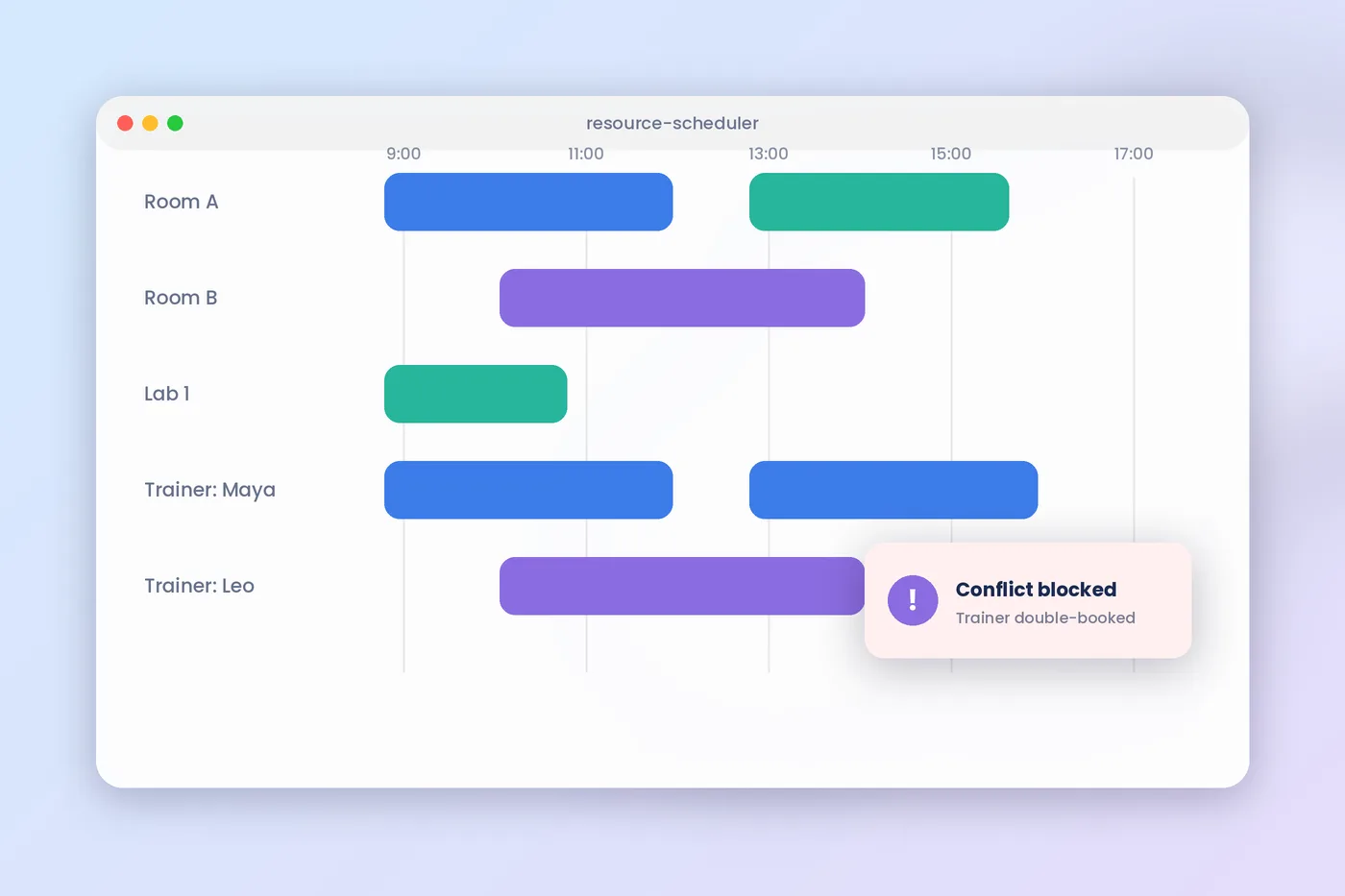
A robust aviation training tracking system should prevent dispatchers from violating expiry rules unintentionally. The software must have an API connection to the training organization’s Class Scheduling Software and rostering system to hard-block expired crew from scheduling. The system can also recommend simulator bays, briefing rooms, and qualified examiners while presenting the planner with a consolidated view of all available resources.
5. All inclusive tracking for flight crew, cabin crew and Part-147 MRO
Airlines and operators that track flight crew in one application, cabin crew in a separate LMS, and maintenance technicians in spreadsheets struggle to obtain an accurate compliance overview. Choose a single software solution to consolidate all three departments’ records, certifications, and approvals. By doing so, the accountable manager obtains a true compliance picture across all personnel categories.
Best Aviation Training Tracking Software Platforms in 2026 Compared
The market is divided into flight-school-tracking tools, cockpit-only grade-books, safety suite and end-to-end training-management programs. See how these top five programs stack up to your operation size, role coverage and budgeting approach.
SimpliTrain: Ideal for single TMS management, scheduling, and expiry monitoring
System and LMS for commercial training companies, airlines, flight schools and MROs: SimpliTrain links 90-60-30 day expiry tracking to your simulator bookings, instructor assignments, and online ground school delivery, unlike other tools that only store static records. It keeps your flight, cabin and Part-147 maintenance teams all in one platform. We also have straightforward pricing of $60 per admin, per month. Learn more about the end to end aviation training workflow on our Aviation Training Management System page.
Centrik 5 (Trust Flight): Ideal for airline safety +SMS integration
Centrik 5 by Trust Flight is an operational management suite that is prevalent among commercial airlines and rotary operators. Its training and currency modules offer traffic-light qualification matrices that overlay its SMS and risk registers. Centrik 5 is a good option for operators who need training records integrated into an overall operational safety suite but will need a custom enterprise quote.
Waypoint TMS: Ideal for cockpit CBTA grading and EBT analytics
Waypoint TMS emphasizes flight deck EBT and CBTA It is adept at offline iPad grading in simulators, multi-step signature lifecycles from instructor to training manager, and fleet-wide competency heatmaps. Perfect for flight departments that value in-depth pilot grading analytics but less engaged in commercial course sales or MRO administration.
Flight Logger: Ideal for Part 141/EASA ATO student progression
Flight Logger is a cloud-based solution built for ab-initio flight schools and Approved Training Organisations. It monitors student progress through the syllabus, grades flight lessons and provides instructor currency alerts in an elegant visual dashboard. The system is ideal for cadet academies however many commercial operators requiring sophisticated multi department recurrent cycles will also require enterprise grade scheduling and billing.
Comply365Best for large airline manual distribution and compliance
Comply365 pairs operating document management (EFB manual distribution) with recurrent training and qualification tracking for large Part 121 carriers. Comply365 ties manual revisions directly to mandatory crew sign-offs and recurrent verification, thus suitable for large airline operators with high document management requirements.
| Platform | Best Used For | Role Coverage | Currency & Expiry Logic | Offline Grading | Pricing Model |
|---|---|---|---|---|---|
| SimpliTrain | Unified TMS, LMS, & expiry tracking | Flight, Cabin, Ground, & MRO | Automated 90/60/30 alerts & grace rules | Mobile & tablet web sync | Flat per-admin ($60/mo/admin) |
| Centrik 5 | Airline SMS & quality assurance | Flight, Cabin, & Ground Ops | Traffic-light matrix & rostering API | Native iOS/Android app | Custom enterprise quote |
| Waypoint TMS | Flight deck CBTA & EBT grading | Flight Crew & Examiners | EASA carry-forward & base-month math | Dedicated offline iPad app | Per-crew tiered subscription |
| FlightLogger | Ab-initio flight schools & ATOs | Student Pilots & CFIs | Certificate & medical expiry warnings | Cloud tablet browser | Base fee + per-active-user |
| Comply365 | Major airline manual & crew sync | Enterprise Airline Crews | Regulatory cycle & document sign-offs | Offline EFB tablet app | Custom enterprise quote |
What effect can per-admin and per-crew pricing have on my budget?
Legacy aviation software vendors price per active crew member, which penalizes your spend every time you contract on seasonal employees, or bring in a new class of cadets. Per-admin flat pricing covers only the back-office training coordinators and managers, so you can take on any number of crew profiles at one set fee.
On Total Cost of Ownership Ask vendors for their definition of an active user. Under a per-crew model, you would charge an operator with 600 pilots, 1,200 cabin crew, and 400 technicians with 2,200 monthly licenses. But most of those crew members log in twice per year at training and recurrent checks. If you also serve external B2B airline clients, per-user fees come off your contractual margins.
Traditional per-admin models like SimpliTrain’s ($60 per admin/mo) cost a five-person team $300 per month irrespective of how many crew they’re managing (200 or 2,500). For a complete list of software licensing pitfalls and migration planning advice, see ourTraining Management Software Buyer’s Guide 2026.
6-step buyer’s checklist to evaluate vendors in demo
Before you execute an aviation software agreement, test each of the bidders’ solutions against your operational edge cases. Complete this six-step process with any sales engineer on the sample crew files during your live demonstration.
- Test live with your sales engineer, a sample pilot with a December expiry, and check date of October – ensure the system gives you December of next year as a default.
- Auditable multi-role matrix: Make sure the system is capable of showing, on a single compliance display, a Captain’s OPC, a Cabin Senior’s SEP and an MRO technician’s Part-147 authorization.
- Replicate an offline simulator grading session: Unplug a tablet from Wi-Fi as you begin your demo, grade a failed engine-out exercise, attach extra comments, sign your name, and see how it updates when it is reconnected.
- When scheduling an instructor with an expired medical into a simulator slot, ensure that the system does not allow you to take the booking.
- Check out a one-click regulatory audit export: Get the vendor to produce a comprehensive 3-year EASA or FAA compliance pack for a randomly selected pilot and then check that it assembles in under 60 seconds.
- 3-year pricing at double your headcount: Ask for a written quote to see what your annual bill will be if your pilot, cabin, or student headcount doubles over the next 36 months.
FAQs
1. What are the differences between pilot currency, recency, and recurrent training?
The pilot currency/recency chart supervises the recent operational experience – for example, three take-offs and landings within the last 90 days (no printed expiry date). Recurrent training supervises fixed calendar dates – for example, six-monthly proficiency simulator checks, annual line checks, and two-yearly dangerous goods certification from the aviation authority.
2. What is the calculation for expiry date in a base month?
Aviation training tracking software calculates expiry date according to the regulation base-month + carry-forward, not from the day of completion. If crew completes a check due before, or within, the grace window, the anniversary month is kept and the validty will not be reduced.
3. What factors led to generic corporate LMS solutions not working in aviation currency monitoring?
Standard corporate LMSs are useless for compliance. They only track digital course completion, and each individual digital course quiz score. They don’t track 90 day rolling flight recency, or multi-crew simulator scheduling. They also don’t have FAA base-month grace logic, or off-line tablet line check signature capture.
4. Possible to use one platform for Flight Crew, Cabin Crew and Maintenance Technicians monitoring?
Yes, indeed, unified aviation training solutions help manage flight crew, cabin crew, ground handling and EASA Part-147 maintenance technicians across a centralized database. By bringing all the operative qualifications into one place, it replaces the need for multiple spreadsheets across departments and displays a traffic-light dashboard of currency and expiry dates for the entire organization.
5. In what way do automated expiry alerts help avoid grounded flights?
Automated expiry tracking delivers tiered 90, 60 and 30 days notifications to the crew and training planners, alerting them to expiring and expired credentials. The tracker is also integrated with the crew rostering software so dispatchers can’t schedule any pilot or technician with an expired medical, recency or recurrent check.
6. How is aviation training tracking software priced for growing operators?
For most legacy aviation platforms, per-crew pricing comes with per active crew member fees or enterprise pricing that penalizes a growing aviation business. With SimpliTrain’s transparent flat per-admin pricing, airlines, flight schools, and MROs can easily track thousands of crew members without increasing per-learner software costs.
Centralize your currency, recurrent checks, and expiry tracking today
Audit your existing expiry trackers this week to identify where your manual Excel formulas or unlinked scheduling applications leave your operation grounded by flights. Grab 3 randomly selected pilot and technician files and measure how long it takes to check their 90-day recency and base-month history. Divide your current vendor fee by your active crew count.
If you’ve got your crews ready to replace spreadsheets with automatable 90-60-30 day alerts and 60 second audit packs, then we built SimpliTrain for your operation. See what all it can do for you on the SimpliTrain Product Page or schedule a SimpliTrain Demo to get everyone in your crew up to speed all in one place.