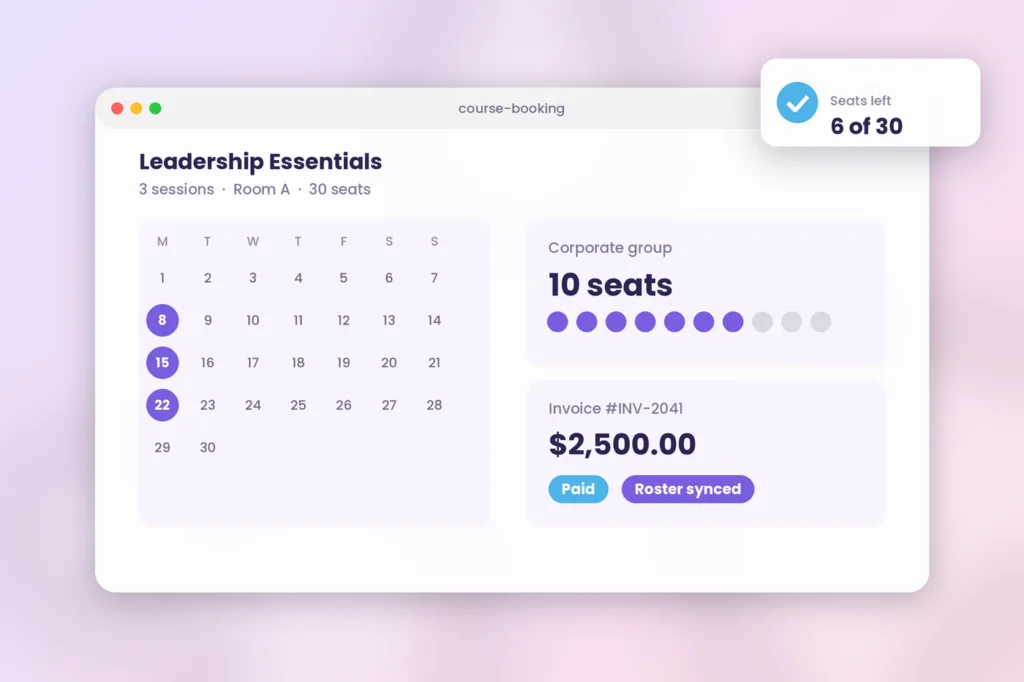





An online course booking system takes care of all your training needs. It manages the process of students signing up. It deals with payments. Sets up schedules. It makes sure there are limits on how many people can be in a classroom. A booking system for training companies is significantly more reliable than a simple plugin that is intended to add calendar events or process payments. The right tool for booking courses and classes online will sync these events with your Learning Management System (LMS) or Training Management System (TMS), eliminating the need for separate management of schedules and records of the participants of training courses.
What is an online course booking system, and why do basic calendar plugins fail training providers?
An online course booking system is a type of software created especially to handle how people find, schedule, pay for and sign up for professional training programs. Basic calendar plugins or regular website scheduling tools often do not work for training providers because they are made for one on one meetings rather than training programs that have multiple sessions and multiple seats. Basic calendar tools are not suitable, for companies. They lack the features to manage instructor-led training or complicated multi-step learning processes.
As your training business grows, generic calendar tools become a serious liability which sabotages your margins. According to a workflow efficiency 2025 report on industry best practices by Training Industry, training organizations waste up to 15 hours per week on reconciling telephone bookings, chasing up on outstanding payments, and inputting attendance information into spreadsheets. This has a direct impact on your coordination team’s capacity to deliver excellent customer service and expand your course catalog.
In addition a 2026 Accessplanit white paper on best practices shows that disconnected registration widgets cause many abandoned carts and billing errors. If a corporate client wants to enroll ten attendees in a training course, but your booking tool only allows one seat at a time, that client will simply give up and choose a competitor. A booking tool that does not have purchasing features will also make your support team spend many hours handling billing questions.
Core features your online course booking system must have
To make sure you choose the right platform, your operations team needs to go beyond multilingual landing page widgets and request enterprise-level functionality to support your instructor-led and blended offerings. Modern training companies operate in an environment where there is no linear correlation between the growth of their operations and the expansion of their administrative base.
How does multi-seat corporate group booking work?
First your booking system must allow corporate groups to buy seats at the same time pay for those seats with one payment method and maybe enter the names of delegates who were not present, during the purchasing stage. Then, it should be able to invoice corporate groups for the chosen seats and track the payments against a particular purchase order. Alternatively, your operations team will spend an unreasonable amount of time processing single-seat purchases for large corporate entities that have no in-house L&D department.
Corporate groups often have more layers of approval than educational institutions, so your customer-facing L&D consultants might benefit from having a view of what delegates from an enterprise group have booked, where these delegates are at in terms of seat allocation, and what they still need to purchase.
If your corporate booking system does not support multi-seat group buying, your team will have to process each single seat as a separate purchase. Obviously, this option is only suitable for small businesses and startups. For medium-sized and large corporations, a multi-seat group buying option is vital.
Why is real time resource and venue capacity management essential?
Managing instructor led classrooms across rooms requires rooms, virtual links, equipment and instructor calendars to be tracked simultaneously. A real booking system automatically stops registrations once a class reaches its student or resource limit. This completely prevents overbooking. Without a booking system to limit seats you run the risk of overbooking. You could easily end up with forty students arriving for a class in a room meant for thirty.
Resource scheduling can include more than rooms and can include items such, as computers, safety equipment or other tools needed for a training. With course booking software that coordinates with instructor availability, travel time and physical inventory you can ensure classes never get cancelled and participants never get stood up.
How does automated roster syncing connect checkout to your LMS?
A modern online booking system has automated roster sync that quickly moves booked student details from your checkout page into your learning platform. This takes the place of sign up forms. Administrators no longer need to download student details into a CSV file just to upload it again.
Having the system move data away makes sure that pre-work assignments, system access and safety paperwork are given to the learner days before the session begins. Automating student sign-ups helps keep your database clean. It stops typing errors avoids records and makes sure you always have the complete contact information needed to send out post-training certificates.
Comparing booking methods: basic event widgets vs. dedicated training systems
Basic calendar tools work for dates but they do not work for corporate training. Companies that offer training need a system that keeps track of strict business compliance and handles complex client invoices.
| Evaluation Metric | Basic Calendar / Event Plugin | Dedicated Online Course Booking System |
|---|---|---|
| Primary Use Case | 1 on 1 appointments or simple event RSVPs | Multi-seat B2B courses and commercial ILT |
| Corporate Group Invoicing | Manual or unsupported | Automated group block-bookings and PO tracking |
| Roster Management | Siloed CSV exports required | Automated roster sync with core LMS/TMS |
| Resource & Room Tracking | Non-existent | Real-time instructor, venue, and asset allocation |
Evaluating ROI: Manual Processes vs. Automated Booking.
You calculate the ROI for an online course booking system by the amount of hours you save on administration, the decrease of check out cart abandonment and invoicing errors. When you look at the price for such software from different vendors make sure to include additional costs related to the use of payment gateways and the help with the implementation of the software. By investing in the infrastructure that serves your needs perfectly you can turn a registration desk into a cash generating machine.
According to Arlo Training Management Software ROI Analysis 2026, training companies that make the online registration process automatic and collect payments online are 25% more likely to increase their cash flow velocity by the sixth month following the implementation. As a result, you will be able to switch your focus from tedious paperwork to scaling your training business to increase the occupancy rate. What’s more, the automatic payment collection ensures that the money reaches your account right after the candidate hits the ‘pay’ button.
The wrong choice of software can burn your pockets. So, before selecting a training management system, take advantage of our Training Management Software Buyer’s Guide 2026 to get a clear vision of what to do in advance, during the selection of vendors and their integration. You can also take a look at the SimpliTrain Product Page to see what the best systems in the market can do for your office.
FAQs
1. What is an online course booking system?
Online course booking system refers to software application used by training providers to manage student enrollments, invoicing and attendance. Unlike regular booking tools, these systems are integrated with your training database which allows you to update attendees lists on all your class calendars in real-time while preventing overlaps.
2. How does training provider handle group bookings from corporations?
Your training provider handles group bookings from corporations by using a booking system for training companies. The software makes it easy for corporate clients to buy seats in bulk. They can book multiple students on a single invoice or purchase order. The system covers all student details, company billing, and receipts.
3. Why are regular event calendars not suitable for training companies?
Regular event calendars don’t work well for training companies because they don’t have the B2B booking features. Corporate clients usually need a way to pay an invoice and track student prerequisites. The system also needs to manage classroom resources and capacities.
4. How does course booking software work with an LMS?
The course booking software works seamlessly with an LMS by taking the data of registered students who have already completed a purchase. This confirmed attendee information is pushed directly into the LMS course environment, automatically granting access to pre-course materials immediately after payment.
5. What payment options should course booking software support?
The options that the booking software should support include credit cards, automatic ACH deposits, and invoicing. Most booking systems let customers pay in installments. Buyers can make a deposit and pay the rest later. It is ideal for expensive courses and professional certification programs.
6. Can an online course booking system handle physical room capacity?
In-person and virtual courses are usually connected to a central database for managing rooms. This process is necessary to prevent rooms from getting overcrowded. The online course booking system will limit the numbers of attendees for a particular session to the maximum capacity of the room.
Streamline your registrations and bookings today
Rather than spending valuable hours matching spreadsheets, following up on corporate invoices, and fixing double-booked classroom schedules, you should implement modern software tools to handle the heavy lifting. Streamlining your registration process protects your margins and gives learners a frictionless digital experience. It is no surprise that upgrading to a dedicated booking system is a primary growth strategy for training providers in 2026.
Ready to replace your manual booking system? Stop guessing and start benchmarking. Evaluate your training workflow against modern industry standards today. For inspiration on what a training management system can do for you, read our guide to the best training software for small business. See our booking engine in action by visiting the SimpliTrain Product Page, or book a demo of our system today.