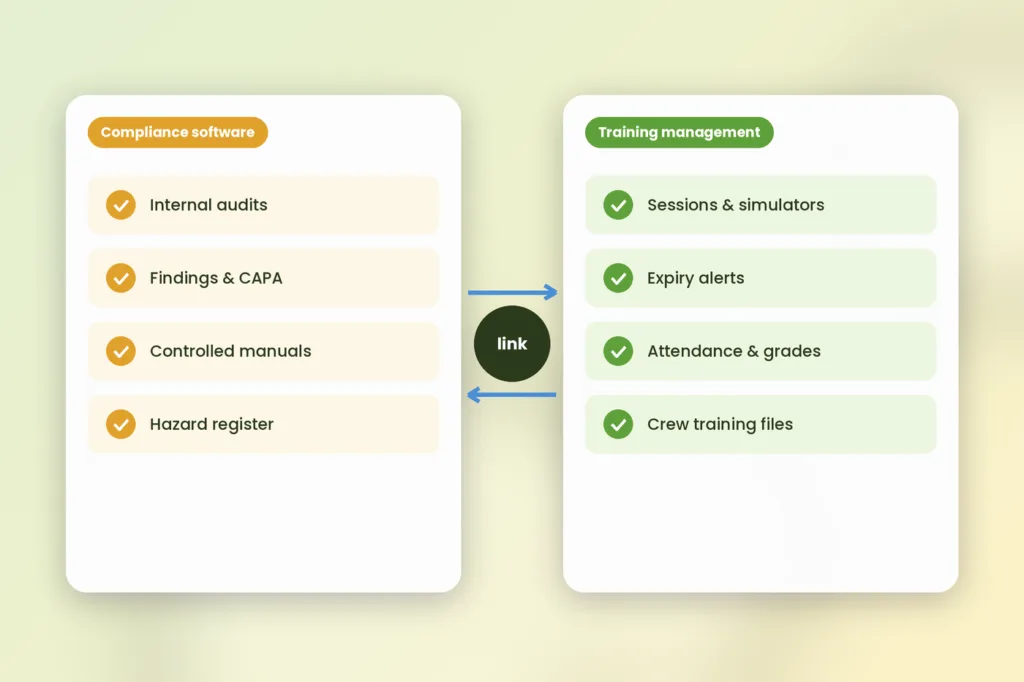





Aviation Compliance Software controls the rules of the business: audit, findings, corrective action, controlled documents, and safety reporting. Training Management Software controls the human aspect: who is trained, qualified, scheduled, and current.
Both have some overlap in terms of record keeping, but each answers different questions for the auditors. Both are required for most airlines, MROs, and training organizations, so that’s why this guide explains how to distinguish between them.
What is aviation compliance software, and what does it cover?
Compliance monitoring software for aviation assists in showing compliance with aviation regulations and internal procedures. These tasks constitute the basic functions of compliance monitoring software. This is what the regulators also identify.
Take, for instance, the rules of EU air operations. Here the operator is expected to have a compliance monitoring function in place. In this respect, the guidance states that the compliance monitoring program should contain an audit plan, audit procedure, reporting procedure, follow-up and corrective action procedure, and a record keeping procedure. This list also includes training syllabus and document control.
Now safety management. There are four key elements of an FAA SMS safety management system: safety policy, safety risk management, safety assurance and safety promotion (FAA SMS overview). The FAA SMS guidance for implementation of Part 5 for certificate holders for parts 121 and 135 and air tours for section 91.147 (FAA AC 120-92D).
Different names in different regions confuse buyers. EASA leaves internal audit process (compliance monitoring) as an integral part of the management system, whereas the description in ICAO Annex 19 is less certain. This same EASA FAQ states that organizations can call their systems as SMS or QMS when they prove meeting all requirements (EASA air operations FAQ). We found one known bundle of functions provided by vendors’ sites: audits, document control, hazard register, occurrence reporting and corrective actions.
“Compliance software”, “QMS” and “SMS tool” might be synonyms. Decide on the questions answered rather than the name of the solution.
What does aviation training management software cover?
Aviation training management software manages the training function and maintains the training file. It schedules training sessions, trainers, simulators, and classrooms. It also manages attendance and performance, and warns you about expiring qualifications.
The aviation section of the SimpliTrain site talks about scheduling at multiple bases/fleets, 90/60/30 day alerts about certification expiration, and report filtering by crew member, position, aircraft model, base or date. The same section mentions EASA Part-147 basic, type training and job training monitoring (SimpliTrain aviation training management).
This is where the power of this kind of system comes into play. EASA regulations require operators to maintain records of crew training, checking, and qualification for three years, according to ORO.MLR.115. This requirement rests on the training function, so the training system will usually contain the records used to audit the compliance function.
Training systems contain the file. Compliance systems ensure the filing process works properly.
What does each system cover, side by side?
Every need has a best fit, and some needs do not fit into either model. See below for an example chart.
| What you need | Best home | Why |
|---|---|---|
| Internal audits and findings | Compliance software | It plans audits and classifies findings |
| Corrective actions tracked to closure | Compliance software | It owns the workflow and the evidence |
| Controlled manuals with revision history | Compliance or document control tool | It shows which version applied when |
| Hazard register, risk assessments, safety reports | Compliance (SMS) software | It supports safety risk management and assurance |
| Scheduling sessions, instructors, simulators | Training management | It prevents resource conflicts |
| Qualification and expiry alerts for people | Training management | It tracks every person’s currency |
| Attendance, assessments, certificates | Training management or LMS | It records the training event |
| Training records for inspectors | Training management | It is the source file auditors sample |
| Duty and rest limits | Crew scheduling or FTL tool | Training time feeds these limits |
| Aircraft maintenance status | Maintenance or CAMO software | It tracks airworthiness, not people |
Notice the last two rows. Two other tool categories sit next to these systems. If a row has no named owner in your organization, you have found a gap.
Buyers lose money by asking one system to do a neighboring system’s job. Write the owner next to every row before you shortlist anything.
How do the two systems connect in a real audit?
They connect through four loops. Each cycle moves the record from one system to another, hence each cycle must be handled properly.
- The evidence loop. The compliance function audits training. Since the monitoring list has training syllabus, the compliance management system requires speedy access to training records.
- The corrective-action loop. A finding often requires retraining. The finding lives in the compliance system, the retraining lives in the training system, and the closure evidence must return to the first.
- The duty-time loop. EASA’s FAQ says training an operator assigns counts as duty, including e-learning, and must be recorded, and travel to a simulator at the operator’s request also counts as a duty period. So training schedules must reach crew duty records.
- The document loop. The EASA guidelines on the operations manual state that it needs to show how people are informed about changes. Hence, the change of the manual can be used for creating a read-and-sign task or even some training.
The second loop hurts most. But in reality, an issue is recorded in one tool while retraining occurs in another, and months later, no proof exists connecting the two. Before purchasing, get an explanation from a vendor about this connection.
Auditors trace an audit trail from issue to resolution to evidence. If you are unable to prove this in your systems, prepare for an extended audit process.
Which one should you buy first?
Buy first for the audit risk that would cost you most. Then connect the second system. A handy guideline:
- Expiry periods get lost and training documents are in disarray? Start with training management.
- Findings remain unclosed and manuals out-of-date? Start with compliance software.
- You manage a small ATO or flight school? Take a bundle including training records module and SMS/QMS modules. There are flight school solutions like that.
- You have several bases/fleets/maintenance shops? Maintain the systems separately. Training planning and safety assurance processes are different in terms of logistics.
Our suggestion, of course, not a command. It will depend on your authority, your size and current technology.
Bundles may sound cheaper in theory. Make sure the training part covers simulator bookings, instructor permissions and multi-base scheduling, not just document storage.
What should you ask before you buy either one?
Question what issue is resolved by this system, how the system transfers information, and what the total cost will be.
Utilize this list with all vendors, even ourselves.
- What audit or regulatory question does this resolve?
- Which rule sets and report formats does it support?
- Does each person record link to qualifications, expiry dates and instructors?
- How is data exchanged: exporting, integration, or through API?
- Does it maintain an audit trail for changes?
- Is read-only access available for an inspector or auditor?
- How does a finding link to retraining and closure evidence?
- What is your pricing structure, and what does setup cost?
- How long does it take to implement?
- What happens to my data if I leave?
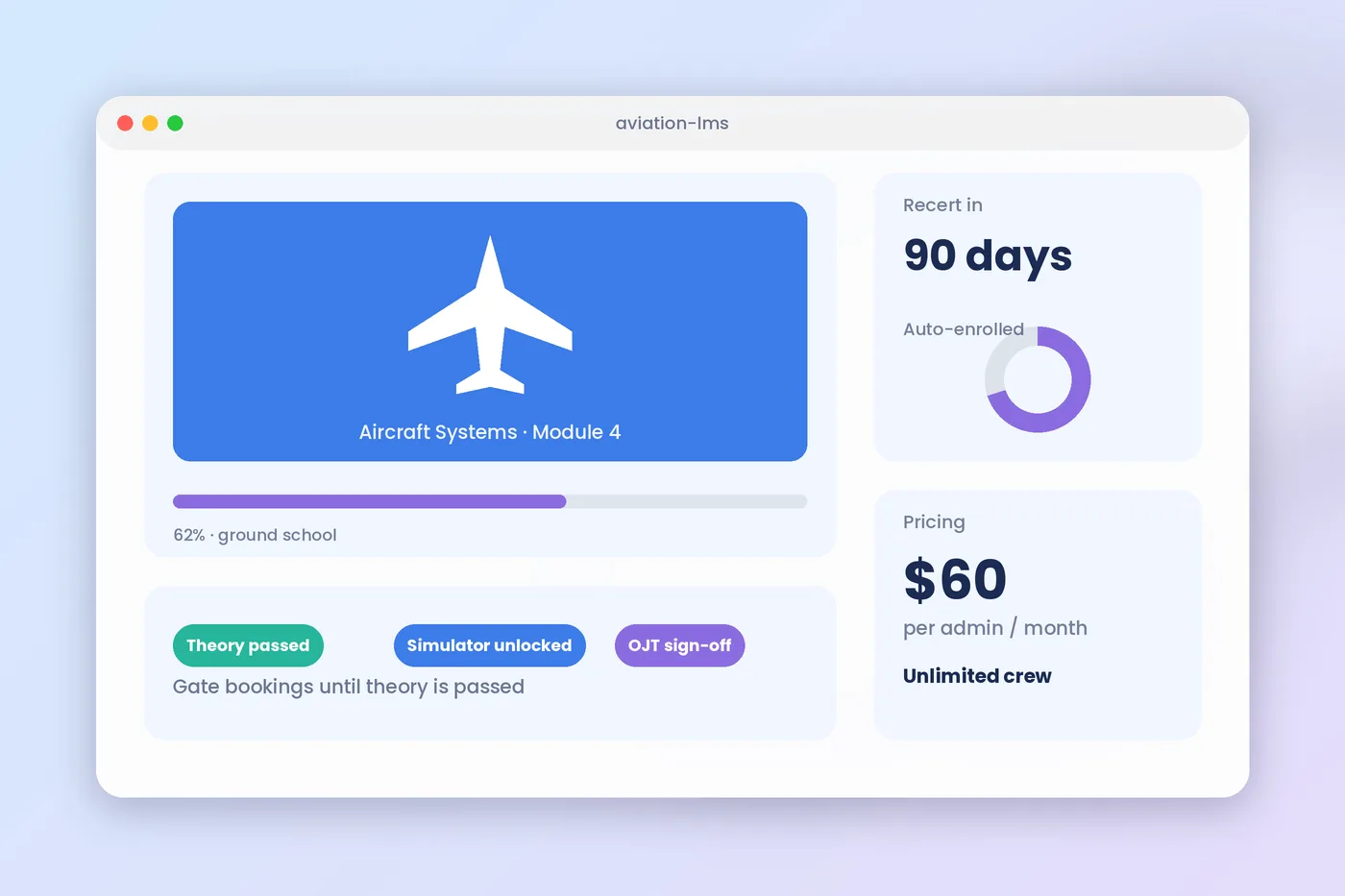
On pricing, models vary. Some tools charge per user, some per module and some by organization size. Ask for a written yearly total at your size and at double your size. SimpliTrain’s aviation page says pricing is flat and based on administrators, not crew members, with plans starting from $60 per admin per month and a free trial with no credit card. See our pricing page for current details.
Scope is important. SimpliTrain is an LMS and training management system. It is not a QMS or SMS, and therefore does not replace audit management, hazard registers, or manual control. Learn how training information integrates into the applications that you are already using, by visiting our integrations page.
The ideal question from a purchaser is never, “Does it have this feature?” It is “Show me this handoff with my own data.”
Your next step
Create your own rendition of the above table by listing ten needs, stating the name of the system that owns each need, and indicating those rows without an owner. Test the poorest handoff using real data. If the gap sits on the training side, explore SimpliTrain’s training management features and our aviation training management page, or book a demo and bring your three hardest audit questions.
FAQs
1. What is aviation compliance software?
Aviation Compliance software allows an organization to demonstrate that it complies with aviation regulations and internal processes. It usually covers audits, findings & corrections, controlled documents, and safety reporting.. It does not usually run training schedules or hold full crew training files, which is the job of a training management system.
2. Are a training management system and aviation compliance software the same?
No, the first is a tool for managing and tracking training schedules, trainers, simulators, expiration dates, etc., whereas the second is a solution for compliance monitoring. They have commonality in document management, hence most organizations end up having both products along with an integration between them.
3. Do I require separate systems for SMS and training?
No. In small businesses, there might be a need for one software suite containing both solutions, but large airlines usually prefer to have these solutions separate, given their specific needs. However, EASA expects training management to support safety management.
4. How long must crew training records be kept?
In accordance with EU air operations, EASA states that the training and qualification of crew members should be documented and retained for three years, as per ORO.MLR.115. Authorities have different requirements as to the period of retaining documents, and some organizations prefer to retain documents for a longer period.
5. Does training time count as duty time for crew?
Under EASA’s FAQ for EU air operations, training an operator assigns counts as duty, including e-learning, and must be recorded. Travel to a simulator at the operator’s request also counts as a duty period. Therefore, crew scheduling should be integrated into the duty schedule tracking system rather than having it stand alone.
6. What is the price of aviation compliance software?
The prices will depend on the software vendor, number of modules required, and company size, but you can request a written annual fee from the vendors. Ensure that you know how you will be charged whether it is per user, aircraft, or per module and what the setup fees are.