





If you’re investing in a training management software in 2026, don’t just compare pricing or interfaces. Compare the features that actually improve training operations.
Managing corporate training has become far more complex than simply delivering courses. Today’s L&D teams are expected to coordinate instructors, manage schedules across locations, ensure compliance, measure training effectiveness, and deliver engaging learning experiences, all while keeping administrative work to a minimum.
That’s why investing in the right training management software is no longer optional. The best training management software 2026 doesn’t just help you schedule classes, it acts as a complete training operations platform, bringing together planning, delivery, assessments, reporting, and learner management in one place.
In this blog, we’ll explore the top training management system features every organization should consider before investing in a training administration software.
What is Training Management Software?
Training management software is a platform designed to simplify every stage of the training lifecycle, from planning and scheduling to delivery, assessments, certifications, and reporting.
Unlike a traditional LMS that primarily focuses on learning content, modern management training software also manages operational tasks such as instructor allocation, resource planning, classroom scheduling, compliance tracking, and learner administration. Many organizations now prefer unified platforms that combine LMS and TMS capabilities to manage both learning and operations from a single system.
The result?
- Less manual administration
- Better trainer utilization
- Improved learner experience
- Centralized reporting
- Scalable training operations
Why the Right Features Matter More Than the Feature List
Not every online training software offers the same capabilities. Some platforms are excellent for content delivery but lack scheduling automation. Others handle administration well but require multiple third-party tools for assessments, certifications, or reporting.
The most effective training management tools bring these capabilities together in one platform, reducing complexity while helping organizations scale instructor-led and virtual training programs efficiently.
Below are the 30 must-have TMS features every organization should prioritize.
Section 1 : Training Planning & Administration
1. Course Management – Stop Duplicating Content Across Spreadsheets
A strong training management software should make creating, organizing, and updating courses simple.
Look for features like:
- Course templates
- Learning paths
- SCORM compatibility
- Version control
- Easy content updates
Instead of maintaining multiple spreadsheets or duplicated courses, administrators should be able to manage all learning content from one centralized dashboard.
2. Training Scheduling – Update One Session, Notify Every Stakeholder
Scheduling becomes surprisingly complex once training expands across departments, instructors, and locations.
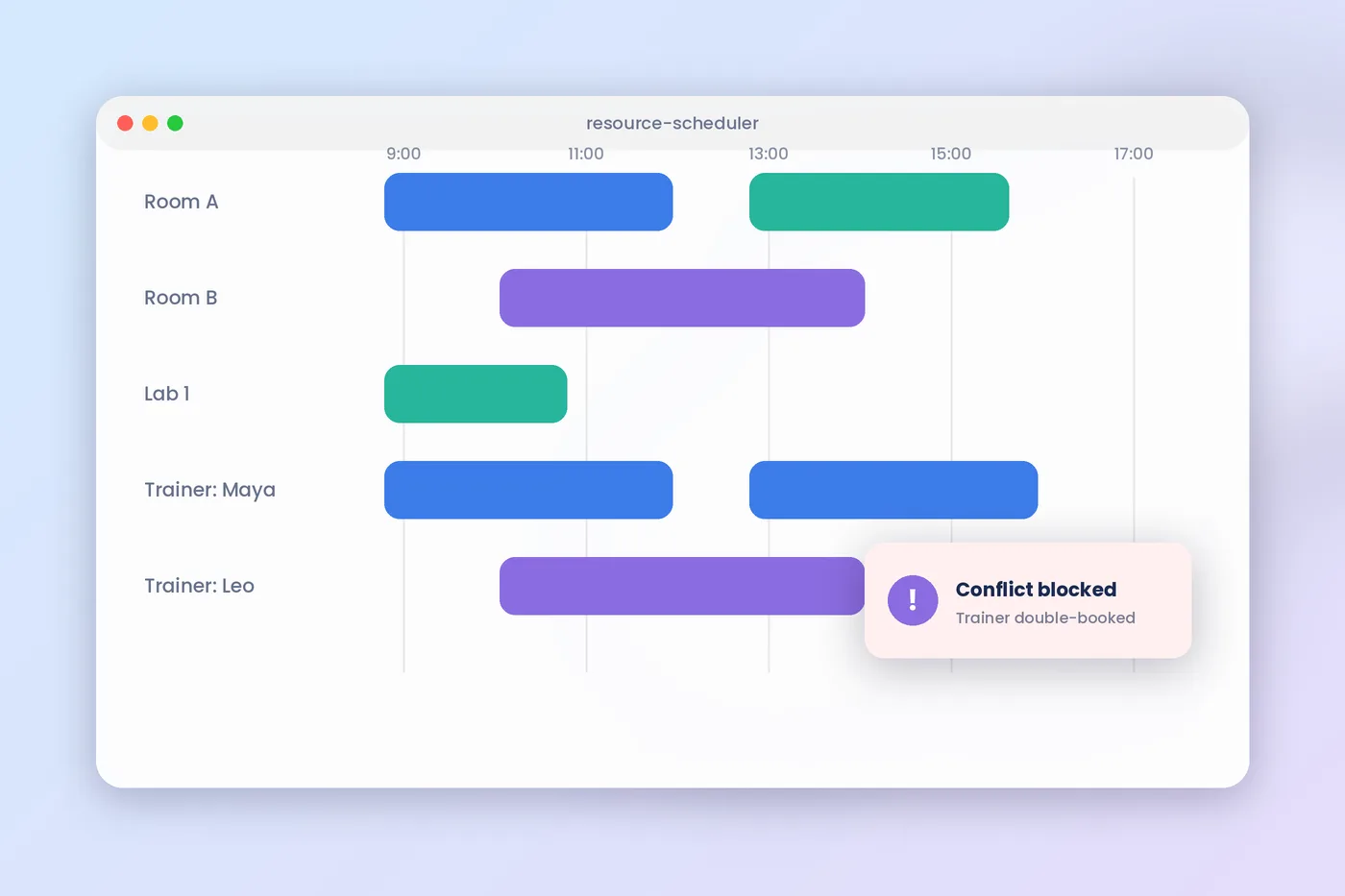
A single session involves coordinating trainers, learners, classrooms, equipment, calendars, and sometimes multiple time zones. Managing all of this manually often results in double bookings, scheduling conflicts, and endless email chains.
That’s why scheduling remains one of the most valuable TMS platform features.
A modern training operations platform should allow you to:
- Schedule recurring sessions
- Manage multiple calendars
- Avoid scheduling conflicts
- Support multiple time zones
- Sync with external calendars
For example, a training company conducting 200 instructor-led sessions each month can update one schedule and instantly notify every stakeholder. Without automation, that same change could require dozens of emails and calendar updates.
3. Instructor Management – Assign the right trainer everytime
As organizations grow, managing trainers manually becomes increasingly difficult. The right training administration software should help you:
- Maintain instructor profiles
- Assign trainers based on expertise
- Track availability
- Monitor performance
- Avoid scheduling overlaps
Centralized instructor management improves resource utilization while ensuring the right trainer is assigned to every program. SimpliTrain, for example, includes instructor scheduling and allocation as a core capability.
4. Resource Management
Training doesn’t just require instructors. It also requires classrooms, laptops, projectors, labs, training materials, and other shared resources.
One of the most valuable TMS platform features is centralized resource management.
A good system lets administrators:
- Reserve equipment
- Allocate classrooms
- Prevent booking conflicts
- Optimize resource utilization
This eliminates unnecessary coordination and reduces scheduling errors.
5. Cohort Management
Managing learners individually becomes inefficient as training programs grow. Instead, your training management software should allow you to organize participants into cohorts based on:
- Department
- Job role
- Batch
- Location
- Training program
Cohort-based management simplifies communication, attendance, assessments, and reporting while improving the learner experience.
6. Classroom & Venue Management
For organizations delivering instructor-led training, classroom management is just as important as learner management.
Look for software that enables you to:
- Allocate training rooms
- Track seating capacity
- Prevent double bookings
- Manage venue availability
- Coordinate equipment
These training management tools reduce operational bottlenecks and ensure sessions run smoothly.
7. Multi-location Training
As organizations expand, training rarely happens in one location. Managing instructors, learners, schedules, and resources across multiple offices or training centers requires far more coordination than simply duplicating calendars.
The best training management software 2026 provides centralized visibility across all locations while allowing regional teams to manage their own operations independently.
Imagine a professional training company operating across six cities. Rather than maintaining separate systems for each center, administrators can manage scheduling, reporting, instructor allocation, and learner registrations from one platform.
8. Hybrid & Virtual Training Support
Today’s workforce expects flexibility. Your training management software should support:
- Classroom training
- Virtual instructor-led training (vILT)
- Hybrid learning
- Video conferencing integrations
This allows organizations to deliver training regardless of learner location while maintaining consistent training experiences.
Platforms that integrate directly with tools like Microsoft Teams and Zoom reduce setup time and improve learner participation.
9. Attendance Tracking
Attendance is more than a record of who showed up. It directly impacts compliance, certifications, reporting accuracy, and training effectiveness.
Manual attendance sheets often result in missing records, delayed updates, and additional administrative work. Modern training management tools automate attendance for classroom, virtual, and hybrid sessions while keeping learner records updated in real time.
Features like digital attendance, session tracking, QR check-ins, and instructor validation reduce manual effort and improve reporting accuracy. The result is reliable attendance data that feeds directly into learner progress and certification records.
10. Automated Notifications
One missed email can mean an empty classroom. Training teams spend countless hours sending reminders, schedule changes, joining instructions, certificates, and follow-up emails. As the number of sessions grows, manual communication quickly becomes unsustainable.
That’s why automated communication has become one of the most valuable must-have TMS features.
The platform should automatically send:
- Registration confirmations
- Calendar invitations
- Session reminders
- Instructor notifications
- Certificate alerts
- Rescheduling updates
Section 2: Training Delivery, Learning & Enterprise Features
11. Learning Management (LMS)
A modern training management software should do more than manage schedules, it should also deliver engaging learning experiences. That’s why many organizations now prefer a unified platform that combines a Training Management System (TMS) with a Learning Management System (LMS). A built-in Learning Management System (LMS) allows learners to access digital courses, complete assignments, revisit learning materials, and monitor their progress through a single portal.
This creates a smoother learner experience while reducing the complexity of maintaining multiple platforms.
Look for features like:
- Self-paced learning
- Blended learning
- Learning progress tracking
- Course completion monitoring
12. Personalized Learning Paths
Every learner starts from a different place.
Some require foundational knowledge, while others only need advanced or role-specific training. Delivering identical learning journeys to everyone often leads to disengagement and wasted training time.
Modern management training software allows organizations to build personalized learning paths based on job roles, departments, certifications, or skill levels.
For example, a new sales representative and an experienced sales manager may begin with the same product knowledge course but follow completely different learning paths afterward. Personalization keeps learning relevant while improving completion rates and learner engagement.
13. AI Course Authoring
Creating quality training content has traditionally required significant time and instructional design expertise.
AI is changing that.
One of the newest TMS platform features is AI-powered course authoring, allowing trainers to convert presentations, documents, videos, and existing resources into interactive digital learning experiences within minutes.
Instead of starting from scratch, instructional designers can use AI-generated drafts, reusable content blocks, and drag-and-drop editing to accelerate course development while maintaining consistency. AI Course Authoring helps organizations transform existing learning resources into SCORM-ready courses, enabling faster content creation without compromising quality.
14. Assessments & Question Banks
Assessments provide valuable insight into learner understanding, skill development, and knowledge retention. Without them, organizations have little evidence of training effectiveness. Modern training administration software includes dynamic question banks, randomized quizzes, practical assessments, surveys, and AI-assisted test creation to simplify evaluation while maintaining assessment quality.
AI-powered assessment tools further reduce instructor workload by generating relevant questions and organizing assessments based on course content.
Your training management software should support:
- Online quizzes
- Practical assessments
- Dynamic question banks
- Randomized questions
- Skill-based evaluations
Advanced assessments help trainers measure learner performance while identifying knowledge gaps early.
15. AI Test Authoring
Creating assessments manually can consume valuable time.
Modern training management tools now use AI to generate quizzes, suggest questions, and build assessments based on course content.
This allows instructors to focus more on training quality rather than repetitive administrative work. AI-powered test authoring as part of its advanced assessment capabilities.
16. Surveys & Feedback
Collecting learner feedback is essential for continuous improvement. Choose a training administration software that allows you to:
- Create post-training surveys
- Measure learner satisfaction
- Collect trainer feedback
- Identify improvement areas
Regular feedback helps organizations refine training programs and improve future learning experiences.
17. Certification Management
For many organizations, certifications are a critical part of training. The best training management software 2026 should automate:
- Certificate generation
- Digital credentials
- Expiry tracking
- Renewal reminders
Automated certification management saves administrative time while ensuring employees remain qualified for their roles.
18. Compliance Tracking
Compliance training requires accurate records and timely renewals. An effective training operations platform should monitor mandatory training, certification status, and compliance deadlines while sending automated reminders before certifications expire.
This is especially important for industries such as healthcare, manufacturing, aviation, and financial services.
19. Reporting & Analytics
Without data, it’s difficult to measure training success. Your training management software should provide dashboards that track:
- Learner progress
- Completion rates
- Trainer utilization
- Attendance
- Certification status
- Training effectiveness
Actionable reporting helps L&D teams make informed decisions and demonstrate business impact. SimpliTrain offers robust reporting, trainer utilization metrics, and scheduled reports to support data-driven learning operations.
20. Mobile Learning
Learning shouldn’t stop when employees leave the office.
A responsive online training software allows learners to access courses, complete assessments, and track progress from any device, making learning more flexible and accessible.
Section 3: & Integration Features
21. CRM Integration: Connect Training to Sales and Customer Data
Training providers and enterprises often need to connect training with sales and customer data.
CRM integration helps streamline learner management, customer communication, and business operations while reducing duplicate data entry.
22. HRIS Integration
Your training management software should integrate with HR systems so employee records, departments, and reporting stay synchronized automatically.
This reduces administrative work and ensures accurate learner data across systems.
23. API & Third-Party Integrations
No software works in isolation. Look for training management tools that integrate with:
- Microsoft Teams
- Zoom
- HRIS platforms
- CRM systems
- Payment gateways
- SSO providers
Open APIs allow your training operations platform to fit seamlessly into your existing technology ecosystem.
24. White-label Platform
Training companies often need to deliver branded learning experiences.
A white-label platform allows organizations to customize branding, learner portals, and training environments while maintaining a consistent brand identity.
25. Multi-location & Franchise Management
Organizations operating across multiple branches or training centers need centralized visibility.
The right training management software should help manage:
- Multiple locations
- Franchise operations
- Shared resources
- Centralized reporting
This ensures consistency while allowing each location to operate efficiently.
26. Multilingual Support
For global organizations, multilingual support improves accessibility and learner engagement.
Employees can access courses in their preferred language while administrators manage everything from a single platform.
27. Role-Based Access & Security
As training programs grow, controlling user access becomes essential.
Choose training administration software that offers role-based permissions for administrators, instructors, managers, and learners to maintain data security and governance.
28. Billing & Invoicing
Training providers should look for built-in billing capabilities that automate invoices, payment tracking, and financial reporting.
Managing training operations and finances from one platform improves efficiency and reduces manual work.
29. Course Library
A ready-to-use course library helps organizations launch training programs faster without building every course from scratch.
Many modern training management software platforms also support external content integration and industry-specific learning libraries.
30. Scalability & Customization
Finally, choose a training management software that grows with your organization.
Whether you’re training 100 employees or managing thousands of learners across multiple locations, your platform should offer customization, flexible integrations, enterprise security, and scalable deployment without increasing complexity.
Quick Checklist: Must-Have TMS Features
| Feature Category | Why It Matters |
|---|---|
| Training Planning | Simplifies scheduling and resource allocation |
| Learning Management | Delivers engaging learning experiences |
| Assessments | Measures learner performance effectively |
| Certification & Compliance | Ensures regulatory readiness |
| Reporting | Tracks training ROI and performance |
| Integrations | Connects with HRIS, CRM, and collaboration tools |
| Enterprise Features | Supports multi-location and business growth |
Final Thoughts
Choosing the right training management software isn’t about finding the platform with the longest feature list, it’s about selecting one that simplifies training operations, improves learner engagement, and scales with your organization.
The top training management system features include smart scheduling, instructor management, AI-powered authoring, assessments, certifications, reporting, integrations, and enterprise-grade administration. Together, these capabilities reduce manual effort while delivering a better learning experience.
If you’re evaluating the best training management software 2026, look for a unified solution that combines training operations with learning management instead of relying on disconnected tools. Platforms like SimpliTrain bring together scheduling, instructor-led training, assessments, AI authoring, reporting, enterprise integrations, and learning management in a single ecosystem, helping organizations manage the complete training lifecycle more efficiently.