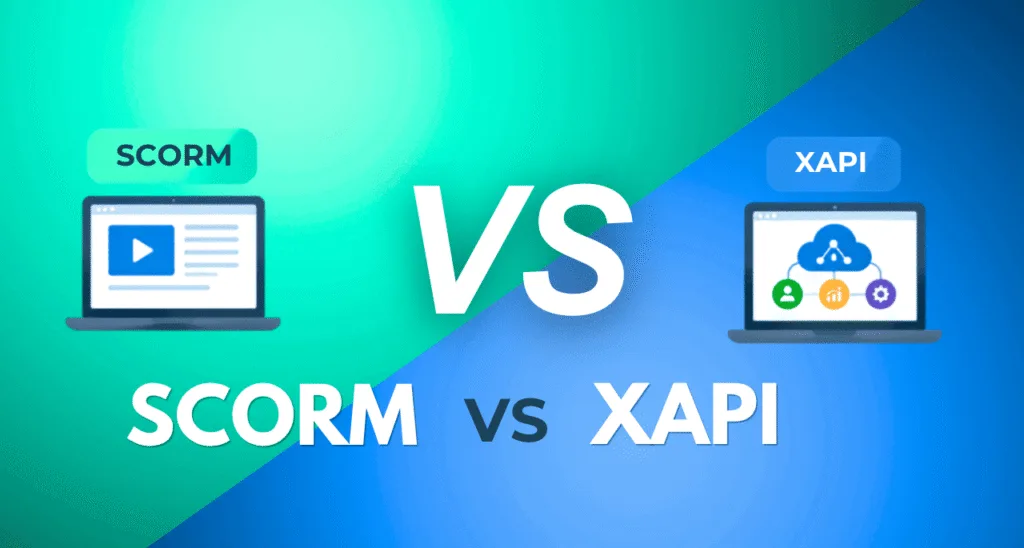






If you’ve settled the “should I track my training” question, you’ll quickly run into a second one: SCORM or xAPI?
They are both standards used to allow training material to communicate with the system. They both have wide compatibility. Moreover, they both become an option once you start converting your course.
Choosing the wrong one does not necessarily lead to major consequences, but may result in losing some important data that you might want to track.
The following article will explain what the actual difference between SCORM and xAPI is and how to choose the right format depending on your particular needs.
Furthermore, we will tell when using a convenient converter that allows switching between these two formats can help you avoid making a wrong choice.
A Quick Refresher: What SCORM Does
SCORM (Sharable Content Object Reference Model) packages a course into a format any SCORM-compliant LMS can read. Once uploaded, it tracks the basics automatically:
- Whether a learner started the course
- Whether they completed it
- Time spent inside it
- Quiz scores and pass/fail status
The tracking happens through a direct connection between the course and the LMS hosting it. This is SCORM’s biggest strength, and its biggest limitation. It works reliably, but only inside that one LMS environment.
SCORM is built around a simple assumption: your content lives inside an LMS, and that’s the only place it needs to report back to. For most standard training, that assumption still holds true.
What Is xAPI, and How Is It Different
However, the Experience API (also known as Tin Can API) was specifically created as an improvement to SCORM since one of its key drawbacks was that it could be used only within an LMS.
In contrast to SCORM, xAPI can track learning almost everywhere: on mobile devices, in simulations, on external videos, and even during practical activities in real life. The data collected by xAPI is sent not to an LMS but to a special component called a Learning Record Store (LRS) which is not tied to any particular software platform.
Moreover, xAPI tracks significantly more details about learners’ actions compared to SCORM. xAPI records all activities through the use of simple statements that follow the pattern of “someone, did something, with this result”.
This pattern enables much more detailed tracking which may prove particularly useful in scenario-based training, simulations, or blended learning which takes place across various applications.
While SCORM can answer “did they complete the course,” xAPI is capable of answering the broader question of “what did they do and where”.
SCORM vs xAPI: The Core Differences
Here’s the difference boiled down to what actually matters for a decision:
| Factor | SCORM | xAPI |
|---|---|---|
| Where it tracks | Inside the LMS only | Inside or outside the LMS |
| Data storage | Stored in the LMS | Stored in a separate Learning Record Store (LRS) |
| Level of detail | Completion, score, time | Detailed actions and experiences |
| Best suited for | Standard courses, compliance training | Simulations, blended learning, mobile or offline activities |
| LMS support | Extremely wide | Growing, but not universal |
| Setup complexity | Simple, works out of the box | Requires an LRS to fully use its capabilities |
Neither format is objectively “more advanced” in a way that makes the other obsolete. SCORM remains dominant because most training still happens inside a single LMS, where SCORM does its job well.
If your LMS question is “can it track completion and scores,” SCORM already answers that. xAPI only becomes necessary when the question changes to “can it track experiences outside the LMS too.”
When SCORM Is the Better Choice
SCORM is usually the right call when:
- Your training happens entirely inside one LMS
- You mainly need to track completion, time, and quiz scores
- Your LMS is older, or you’re not sure it supports xAPI
- You want the widest possible compatibility, with no setup beyond the LMS itself
- Your compliance or certification requirements are based on standard completion records
For most onboarding programs, compliance modules, and standard course content, SCORM covers everything you actually need, without adding extra infrastructure.
If your training question is simply “did they complete it and pass,” SCORM is almost always the simpler, more reliable choice.
When xAPI Is the Better Choice
xAPI makes more sense when:
- Learning happens across multiple tools or platforms, not just your LMS
- You’re tracking simulations, scenario-based training, or hands-on tasks
- You want to capture detailed learner behavior, not just pass/fail outcomes
- Your organization already has, or plans to set up, a Learning Record Store (LRS)
- You need to track informal or offline learning alongside formal courses
xAPI is powerful, but it also asks more of your infrastructure. Without an LRS in place, you won’t get the full benefit of what xAPI can capture.
xAPI earns its complexity when your training doesn’t fit neatly inside one LMS. If it does, that complexity may not pay off.
Does Your LMS Even Support xAPI
This is the question that should come before choosing xAPI, not after.
The SCORM standard is compatible with almost all LMS systems in existence, even the legacy ones. On the other hand, the xAPI support is increasing, although not all LMS systems support it. Some are compatible natively, some require an additional add-in, some need an LRS, and some do not support xAPI at all.
Before converting any of your content into xAPI, be sure to contact your LMS vendor or check the documentation to verify two things – whether xAPI is supported and if there is an LRS integrated. It is the most frequent reason why xAPI content fails to track after conversion.
The flexibility of the xAPI will not help you if the LMS you are using is not ready for receiving it.
Why Choosing One Doesn’t Have to Be Permanent
This is the part many overlook: there is no obligation to stick to the chosen format all your life or to make the right choice the first time.
Because both SCORM and xAPI originate from the same source content, a decent converter will be able to output either format from the same file, thus saving you the trouble of rebuilding the content from scratch. It is essential since LMS needs change, platforms change, and whatever was good enough for one course might become inadequate for the other one.
And this is when the flexibility of a converter really comes handy. Instead of limiting yourself by one specific tracking format, with SimpliTrain converters you can easily package the same PPT, PDF, DOC, or MP4 file into SCORM 1.2, SCORM 2004, or xAPI based on the needs of your particular LMS.
But should you need more than just a simple tracking in your e-learning courses, such as scenario-based assessments or more detailed information about your learners’ experience, then SimpliTrain AI course authoring tool can do it based on your existing files and produce content in any desired format.
Not sure which format fits your setup? You don’t have to guess.
Convert your existing training content into SCORM or xAPI, whichever your LMS actually needs.
- Convert PPT to SCORM or xAPI
- Convert PDF to SCORM
- Convert DOC to SCORM
- Convert MP4 to SCORM
- Explore SimpliTrain’s full AI course authoring tool
FAQ
1. How could I explain the difference between SCORM and xAPI in the simplest way?
SCORM reports on whether the user finished the course within an LMS. xAPI can report on almost any learning experience within and out of an LMS, including a much more detailed account of actions.
2. Is xAPI more recent technology than SCORM?
Yes. xAPI (also known as Tin Can API) is a more recent development specifically created in response to the limitations of SCORM regarding learning experience outside of one LMS.
3. Do I need an LRS to work with xAPI?
Yes, to take advantage of xAPI you would need an LRS in place. LRS is the technology responsible for storing and structuring data collected by xAPI.
4. What should I do if I am unsure which format to choose?
If you are not certain which format to choose, select SCORM as the safest choice in case your entire training takes place within one LMS.
5. Can the same training content be converted into both SCORM and xAPI?
Yes. The underlying content doesn’t need to change. A flexible converter can package the same file into SCORM or xAPI, depending on what format your LMS or LRS setup requires.
6. Is there any support for both SCORM and xAPI by SimpliTrain?
Yes. SimpliTrain conversion and authoring tools offer support for SCORM 1.2, SCORM 2004, and xAPI. Thus, you can select whichever works best for your existing LMS without being confined.
7. Should I have to rebuild my course if I change from SCORM to xAPI later on?
No. If you use a flexible converter, then the switch later should be just another step of exporting your course and not rebuilding it.