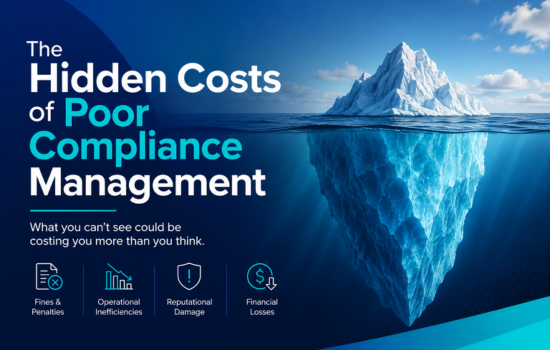





Training records software is used to store employee data in a secure place, making sure that the information is up to date. If an auditor comes and asks for a specific certificate held by a worker three years ago, and all they find are a bunch of Excel sheets, you’ll be paying a lot of money to lawyers. Investing in proper recordkeeping software is the only way to prevent such scenarios
Why is spreadsheet data loss destroying your audit survival rate?
Spreadsheets get you in trouble during an audit because there is no version control. You can’t be certain when an employee completed a module. When it comes to workplace safety, having bad data is worse than having no data at all.
If you have a log of who has been certified to operate a forklift, but it doesn’t include one person from four years ago, you’re in trouble. According to 2024 OSHA general recordkeeping guidelines, you need to keep certain compliance logs for at least five years, but how can you be certain of the integrity of the data on a shared spreadsheet where anyone with edit access can accidentally delete a date?
One moment of carelessness by any employee can destroy your audit survival. You need employee training tracking software that will give you an airtight, tamper-proof record of who trained who, on what and when.
The true cost of failure over 5 to 7 Years audit in history
The price of failing a compliance audit after being unable to retrieve training records of the past 5 years is much higher than a slap on the wrist. The auditors from OSHA or HSE will not be satisfied with a story about the Excel documents being misplaced and the HR coordinator already quitting.
The cost of such an audit failure includes daily fines, lawsuits, and shutting down of the production site while training new workers. Citations from such failed audits can cancel enterprise contracts with suppliers and vendors. In high-stakes manufacturing or energy sectors, proving historical workforce competence is a license to operate. Thus, having a folder with Excel sheets on a coordinator’s computer is a death sentence.
What features must your training records software have to survive an audit?
As far as inspections go, your training records software needs to include automated compliance renewals, tamper-proof historical training data, and reporting features. Which are there at the touch of a button. Without it you are just waiting to fail an inspection.
Auditors do not wait for you to find the right paperwork. Speed matters when you are proving HSE compliance or latest ISO 9001 quality management standards. Audit ready training records require a system that maps the exact Standard Operating Procedure (SOP) against the date and time the learner completed the training.
Certification management features like this ensure your business operates legally. The training records management system we detail in the SimpliTrain Product Page can automatically track these parameters for you.
How do different ways of tracking compare 5 to 7 Years of retention?
Dedicated tracking systems are far better than spreadsheets and paper records at keeping information organized for 5 to 7 Years. Relying on such methods for more than half a decade is a guaranteed way to lose data.
| Tracking Method | Retention Security | Expiry Tracking | Audit Readiness |
|---|---|---|---|
| Paper Files | Very Low (Fire/Damage risk) | Manual / Error-prone | Poor (Slow retrieval) |
| Spreadsheets | Low (Overwrite/Deletion risk) | Difficult / Requires macros | Moderate (Data validation issues) |
| SimpliTrain Software | High (Cloud backups) | Fully Automated | Excellent (Instant reporting) |
How to migrate historical spreadsheet data into a training records software
The process of migrating 5 to 7 Years of training records from Excel into modern management software requires a systematic approach. It is necessary to prepare the data in the Excel sheet before importing it into the new system.
- First, make sure there are no problems in the Excel sheets, such as extra user accounts, conflicting ID numbers, different date formats.
- Next, establish the connection between the old and new training records software. It is required to define a few key items to import data correctly. For example, reference the old training programs to the current course catalog.
- Another essential step for importing old training records is to instruct the software vendor to add history backdating features. It will be needed to keep the dates of training and SOP versions as they were before migration.
- After that, conduct a test audit to make sure that everything works. Ask the support team to provide access to a few employee accounts to check if a five-year training history appears on the screen within one minute.
How does a training and skills matrix eliminate compliance gaps?
A training and skills matrix helps you keep track of all of your staff’s certifications. It ensures that nobody is operating with expired credentials. You can spot expired qualifications immediately. No one is left authorized to work in the warehouse without the necessary approvals.
In turn, the matrix depends on you keeping track of expirations, and triggering compliances when needed. If you’re looking for how the best systems manage this, be sure to consult our Training Management Software Buyer’s Guide 2026
FAQs
1. What software can I use to track employee training?
The best training record management software is an essential tool for any organization that wants to keep track of compliance records and save the training data of its employees securely. Unlike spreadsheets, such programs store all the information regarding training records of employees safely without the risk of being hacked. It helps have all the necessary compliance records ready in case of an external agency audit.
2. What is the best software for compliance training?
In this case, the best software should be the one that has the necessary tools for managing compliance training. It is advisable to invest in a learning system that will remind employees of the need to renew their certifications and store the organization’s standard operating procedure (SOPs). The best compliance record management software will help ensure that employees are not placed on the floor arbitrarily while keeping the facility ready for any auditing.
3. How often should training records be reviewed?
I think that the records should be reviewed four times a year by your operations manager, but if you want something more up to date, you could use auto-renewing compliance training. Doing that will assure you that there is no downtime in your production processes because of expired certifications.
4. How long should you keep training records of your employees?
Most regulatory agencies require that the companies keep such information from 5 to 7 years, which is enough for any governmental review. It might help the organization to avoid substantial liabilities. After all, this is the best way to show that the staff is trained and ready to work without any major risks to their environment, health, and safety.
5. What are audit ready training records?
These are the records that allow you to give access to the auditor immediately. Also, they should have dates and be unalterable. Therefore, showing exactly which version of the standard operating procedure SOP was used and who was trained. Hence, audit ready training records are an example of documentation that confirms that the activities of the internal safety program of the company are properly organized.
6. Can I use Excel for tracking compliance training?
It is not recommended to use Excel because of the risks of errors due to the incorrect input or program malfunction. It is not secure to use excel since the documentation might be deleted or altered. Finally, the inspector will not accept such records since they cannot confirm the qualification of the person.
Next Steps for streamlining compliance
No more using spreadsheets and calendar alerts to track your audit results. It’s time to protect your business, automate your renewals, and keep your records safe and accessible.
To see what other high growth operations have done to transition from spreadsheets to automation, download our guide to finding best training management software for small business. Get started with audit preparation now by scheduling a SimpliTrain Demo today.