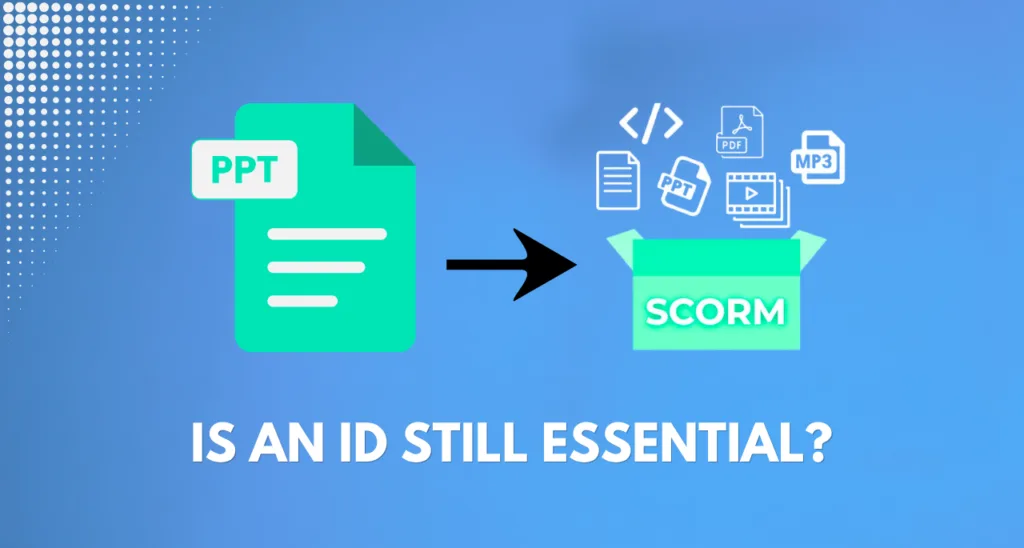






Just a few years ago, the answer would have been invariably affirmative. The process of turning the PowerPoint presentation into the real SCORM course implied acquiring skills with authoring software or giving the presentation to those who already knew how to deal with it.
This is no longer completely true today, but it is still partly right. There are tools that would allow converting the PPT presentation to the SCORM-compliant package instantly and free of charge, requiring no knowledge of instructional design whatsoever. And there is training that cannot do without a designer’s decision making.
This article explains the exact borderline between the two situations.
What an Instructional Designer Actually Does
Before delving into whether you would need one or not, it is important to define what an instructional designer does since “instructional design” can be defined in many ways.
An instructional designer is not mainly concerned with creating slide decks or choosing colors. Instead, he or she is concerned with questions such as:
- What new skills should the learner gain from this course?
- Is the content arranged in a sequential manner?
- Are the assessment tools assessing learners’ knowledge?
- Are the levels of difficulty appropriate for the audience or not?
- Does the course include real-life scenarios for learners?
These are judgment calls. They depend on understanding both the subject matter and how people actually learn, not just on knowing which software button to click.
Instructional design is a thinking skill, not a software skill. That distinction matters a lot once you start asking whether a tool can replace it.
What a SCORM Converter Actually Does
A SCORM converter solves a completely different problem: making your existing content trackable by an LMS.
Here’s what a tool like SimpliTrain’s PPT to SCORM converter actually does:
- Packages your slides into a SCORM-compliant file
- Adds navigation buttons and tracking code automatically
- Reports completion, time spent, and quiz scores back to your LMS
- Preserves your original content, text, images, and layout, without changing it
What it doesn’t do is redesign your content, restructure your sequencing, or evaluate whether your assessments are any good. It packages what you give it. If your original deck was well designed, you get a well-designed, trackable course. If it wasn’t, you get an untracked problem turned into a tracked one.
A converter is closer to a translator than an editor. It changes the format your content speaks in, not the quality of what it’s saying.
When You Don’t Need an Instructional Designer
For a large share of everyday training content, a converter alone is genuinely enough. This usually applies when:
- The content is straightforward, policy updates, basic product information, procedural walkthroughs
- Your main goal is tracking completion and time spent, not deep skill-building
- The original PPT deck was already reviewed and works well as a presentation
- You need this done quickly, without waiting on design resources
- The stakes are moderate, not tied to safety-critical certification or complex behavior change
In these cases, spending time or budget on instructional design adds cost without adding much value. The content already does its job. What it was missing was tracking, and that’s exactly what a converter adds.
If the honest goal is “make this trackable,” not “make this more effective,” a converter is the right tool for the job, and hiring design expertise for it is often overkill.
When You Still Need One
- Instructional design still earns its place when the stakes or complexity go up. This usually applies when:
- The training needs to change real behavior, not just deliver information, think safety procedures, sales techniques, or leadership skills
- Assessments need to test application, not just recall, like scenario-based decisions instead of simple multiple choice
- The content is complex enough that sequencing genuinely affects whether learners understand it
- You’re building something used repeatedly at scale, where small design flaws get magnified across hundreds or thousands of learners
- Compliance or certification training deals not only with “if they read it” but also with the question “did they truly comprehend it”.
In this situation, the task of conversion still could be undertaken by a converter who knows how to accomplish such technical packaging, but all the thinking behind the content, the structure, the design of the assessment and its relevance to real-life cases must be done by someone who understands instructional design.
It’s in the decisions about what to teach, in what order, and how to prove it landed. That’s exactly the part a converter was never built to handle.
The Middle Ground: AI-Assisted Course Authoring
Between “just convert it” and “hire a full instructional design process,” there’s a growing middle option: AI-assisted authoring tools.
These tools go a step further than a basic converter. Instead of just packaging your slides, they can:
- Analyze your deck’s content, not just extract text, but understand structure and context
- Provide a course layout, dividing the material into cohesive parts and units
- Make interactive components such as games, tests or real-life case studies in accordance to information provided in the slide
- Publish immediately in SCORM format, without the need for separate processing
Tools like SimpliTrain’s AI course authoring platform fit here. They significantly lessen the distance between “purely tracked” and “effective design,” especially for teams that do not have any design assistants.
Nonetheless, AI-based design and interaction should only be regarded as a beginning, not a substitute for checking. After all, someone still has to see that the order is logical, that the tests are relevant, and that the examples are telling of the situation faced by the students.AI accelerates the production work. It doesn’t replace the judgment behind it.
AI-assisted tools still need a human checking the output against real instructional judgment, just far less of that time than building from scratch.
A Simple Way to Decide
If you’re still not sure which situation you’re in, ask three quick questions:
- Is my only goal tracking, not teaching effectiveness? If yes, a converter alone is likely enough.
- Does this content need to change behavior, not just deliver information? If yes, instructional design input adds real value.
- Do I have design resources, but not the time to build from scratch? If yes, an AI-assisted authoring tool is probably your best middle ground.
Most training programs actually contain a mix of all three, some modules that just need tracking, others that need real design attention. Treating every piece of content the same way, either over-investing in design for simple updates, or under-investing in design for high-stakes training, is where most training programs waste time or fall short.
The right approach isn’t “always use a converter” or “always hire a designer.” It’s matching the tool to what the specific piece of content actually needs.
Match the tool to what your content actually needs.
Simple tracking need? Convert it in minutes. Need more structure or interactivity? Let AI help you build it.
FAQ
1. Is it possible to transform PPT to SCORM regardless of a person’s background?
Certainly. There are several free converters available in the market (such as SimpliTrain) that automatically package content according to SCORM standards.
2. Are instructional designers and SCORM converters the same thing?
Not at all. The SCORM converter helps one render the content in a certain format that enables the LMS to track it, while instructional design determines how the material will be presented and tested.
3. Is an instructional designer always needed for compliance courses?
Not always, but often. If the goal is to have someone simply acknowledge that they opened the material then a converter is sufficient. But if the goal is to have someone demonstrate understanding through proper assessment, there is need for instructional design input.
4. Is it possible for AI programs to completely take over the instructional design process?
No, not completely. AI-assisted applications are capable of fast development of structure, interactivity, and assessments.
5. Is it a waste of money to hire an instructional design in case of a simple change in the training?
Most likely, yes. In case of a basic material the converter is usually enough. Instructional designer comes in hand in complex projects dealing with serious content.
6. Does SimpliTrain offer both a simple converter and an AI-assisted authoring option?
Yes. SimpliTrain’s PPT to SCORM converter handles basic tracking needs, while its AI course authoring tool adds structure and interactivity for more complex courses.
7. What can I do to figure out if instructional design is necessary for training materials?
It is important to understand whether the training program merely focuses on completion, or it aims at behavior change and comprehension. If the answer is the latter, instructional design has to be included in the process.